Google Meet-Transkription
Verwende deine Google Meet-Aufzeichnungen im Handumdrehen für alle Inhalte, die du dir vorstellen kannst: von Google Docs bis hin zu Besprechungsnotizen, Live-Untertiteln, Zeitstempeln, Besprechungsnotizen, Slack-Nachrichten und mehr.
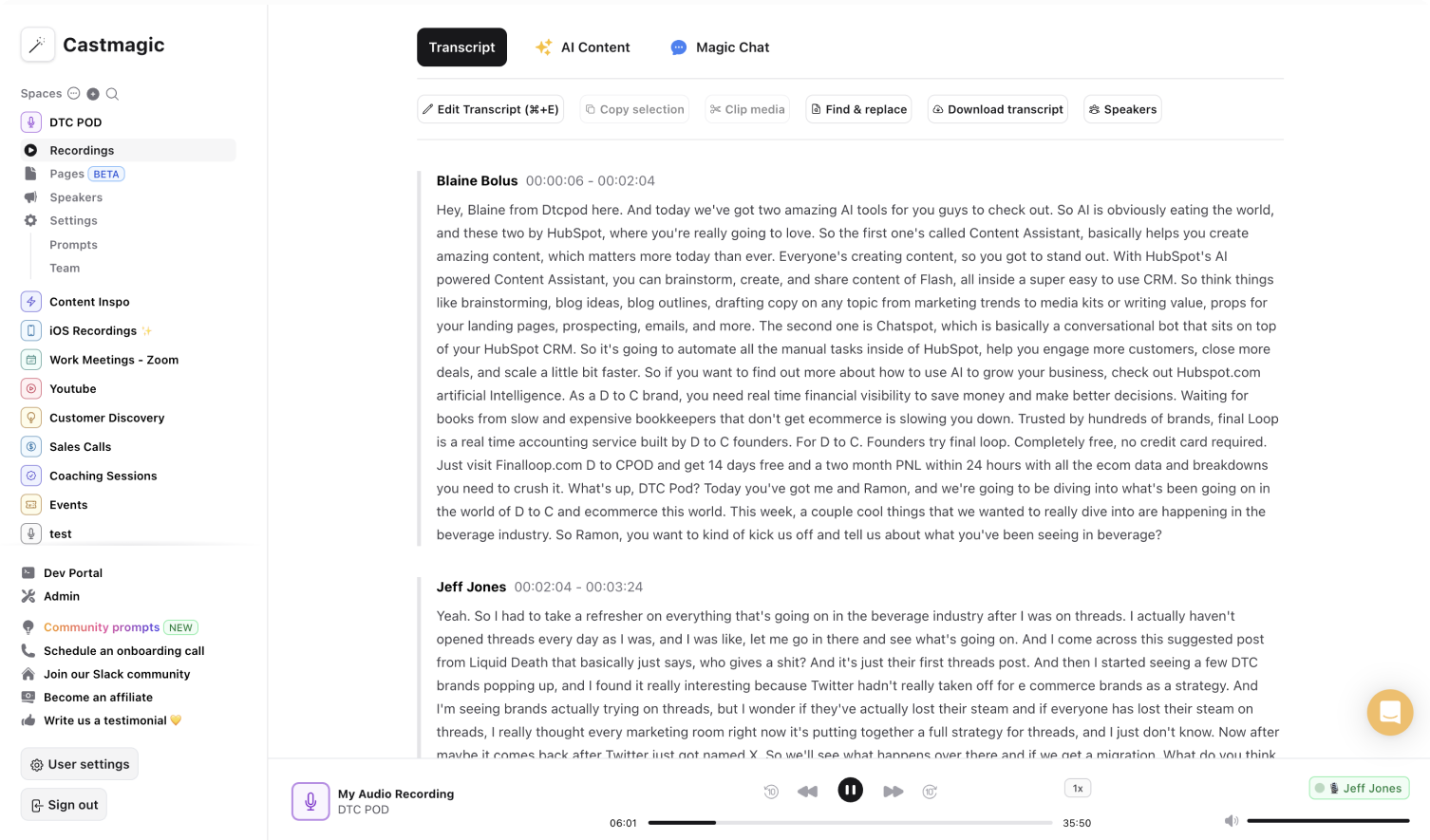

Sofortige und sichere KI-Transkriptionen von Ihren Google Meet-Anrufen
Es ist viel Zeit erforderlich, Kalendereinladungen an Teilnehmer zu senden, Google Meet-Anrufe zu planen, eine Google Meet-Anrufagenda zu schreiben, Google Meet-Anrufe aufzuzeichnen und die Google Meet-Aufzeichnungen von Sprache in Text zu transkribieren. Es ist nicht einfach, die Google Meet-Anrufe manuell zu transkribieren, um nach dem Meeting verwertbare Materialien zu kuratieren. Wir haben Castmagic entwickelt, um diesen gesamten Prozess zu optimieren und es Ihnen leicht zu machen, die Wirkung jedes Google Meet-Anrufs zu maximieren. Castmagic fungiert als Transkriptionsdienst, Untertitelgenerator, Untertitelgenerator und mehr mit unserer automatischen KI-Transkriptionsfunktion.
Laden Sie Google Meet-Aufzeichnungen in Castmagic hoch und lassen Sie uns Ihre Google Meet-Aufzeichnungen transkribieren, sodass Sie die Transkripte analysieren und die Highlights identifizieren können. Nutzen Sie unsere anpassbaren Tools, um Töne und Eingabeaufforderungen an Ihre individuellen Ziele anzupassen. Wir wissen, dass Ihr Ziel bei jedem Google Meet-Anruf unterschiedlich ist. Mit unseren anpassbaren Tools sparen Sie Zeit beim manuellen Transkribieren von Google Meet-Anrufen, erstellen Besprechungsnotizen/Sitzungsprotokolle mithilfe der Google Meet-Transkriptionen und fügen den Google Meet-Aufzeichnungen automatisch Live-Untertitel hinzu, um leichter zugängliche und optimale Inhalte zu erhalten.
Wir ersparen Ihnen die Zeit und Mühe, die Sie derzeit aufwenden, um Google Meet-Aufzeichnungen zu transkribieren, Live-Untertitel hinzuzufügen und Besprechungsnotizen/Sitzungsprotokolle in mehreren Sprachen zu kuratieren. Seien Sie sicher, dass Ihre Inhaltsstrategie optimiert ist.
We Power The Best Creators








How To Use Castmagic for Google Meet-Transkription

Upload Audio or Video File
Click on ‘Upload’ and select your audio file or video file that you'd like to add to Castmagic. You can also drag and drop your file into the box.

Transcribe Media
Label your file name, and hit 'Save Recording'’. Castmagic will automatically transcribe your file. As soon as the file is done, you'll be able to label your speakers or make any edits directly in the transcript.

Download Your Transcript
While on the Transcript page, click on "download transcript" button. That's it! You'll be able to select from multiple file formats including text, SRT, VTT, CSV, and custom formats.
Draft Content After Every Google Meet Call
Skip the hassle of rewatching meetings to ensure key points and action items are incorporated into post-meeting materials. Castmagic automatically generates insightful content for various teams after every call. Upload the video or audio file and access the comprehensive and customizable materials to share with cross-functional teams.
Google Meet-Transkription & Content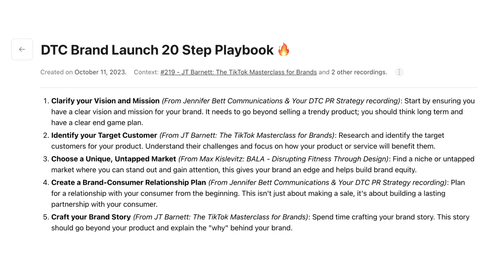
Export Your Fav Audio & Video Clips From Google Meet Calls
Select the notable meeting points from the transcription and turn them into audio or video highlights. No extra work necessary to transform the Google Meet highlights into diverse, searchable, and accessible content.
Clips & Google Meet-Transkription Castmagic For iOS, Record On The Go
Put Castmagic in your pocket, tap to record, and instantly sync with the workspace. Record spontaneously for audio content to share during your Google Tagungen. Instead of converting your audio recording into a usable form in Google Drive, access it immediately within your workspace. By the time your Google Meet call starts, your recording will already be transcribed to use for different content. Take advantage of every scheduled and unscheduled transcription opportunity.
Google Meet-Transkription with iOS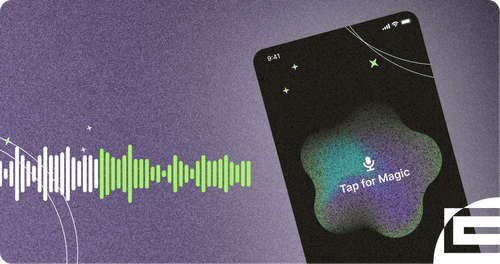
Endless Content Assets In Seconds
Automate all the tedious work that comes in editing and copywriting and say hello to your new best content editor.
Integrate Content From All Your Favorite Platforms
 RSS
RSS  Zoom
Zoom  Google Drive
  Wistia
  Descript
  YouTube
  Vimeo
Vimeo  TikTok
  Instagram
  Twitch
  Loom
Loom  Zapier
 Professional Creators Love Castmagic
Castmagic is just a great product. When it came to creating content around The Calum Johnson Show it made our life a lot easier. Highly recommend

Frequently Asked Questions
Who is Castmagic for?
Castmagic is for podcast hosts, video streamers, or long form content creators that want to get more mileage out of their content. We make it easy to instantly turn your long form unstructured content into ready-to-use copy for shownotes, highlight clips, summaries, blogs, social posts, newsletters, and more.
How does it work?
Castmagic uses the best in class AI to turn your long form audio directly into the exact content types you need for ready to post creative.
Is there a free trial?
Yes you are entitled to a free trial to play with a few episodes and see how it works in action. If you like what Castmagic can do, we have several plans to choose from.
What languages are supported?
Castmagic supports 60+ languages including: English, Dutch, French, German, Hindi, Indonesian, Italian,Japanese, Korean, Mandarin (Simplified), Norwegian, Polish, Portuguese, Russian, Spanish, Swedish, Turkish, Ukrainian & many more.
Discover more usecases
Explore The Castmagic Blog…

So verbessern Sie Ihr YouTube-Intro mit Einführungsbeispielen

So wählen Sie heute das beste Tool für die Wiederverwendung von Inhalten aus

YouTube-Videos in Blogbeiträge umwandeln: Beste KI-Blog-Tools

So verwenden Sie KI für das Marketing für kleine Unternehmen: Verdienen Sie mehr Geld

Die besten KI-Assistenten, um Ihren Arbeitsablauf heute zu verbessern

So schneidest du ein YouTube-Video aus: Einfache Anleitung für Snippets

So zeichnen Sie Google Meet auf: Speichern und teilen Sie Ihre Anrufe

Können Sie FaceTime-Videos auf dem Bildschirm aufnehmen? Was du wissen musst