
Riverside vs Otter vs Castmagic: Ultimate Comparison for Podcasters (2025)
One tool for recording, another for transcription, or a complete platform that handles both and more? Castmagic delivers the end-to-end solution that transforms every conversation into a content goldmine while you focus on what matters most—creating your next episode.
Try Castmagic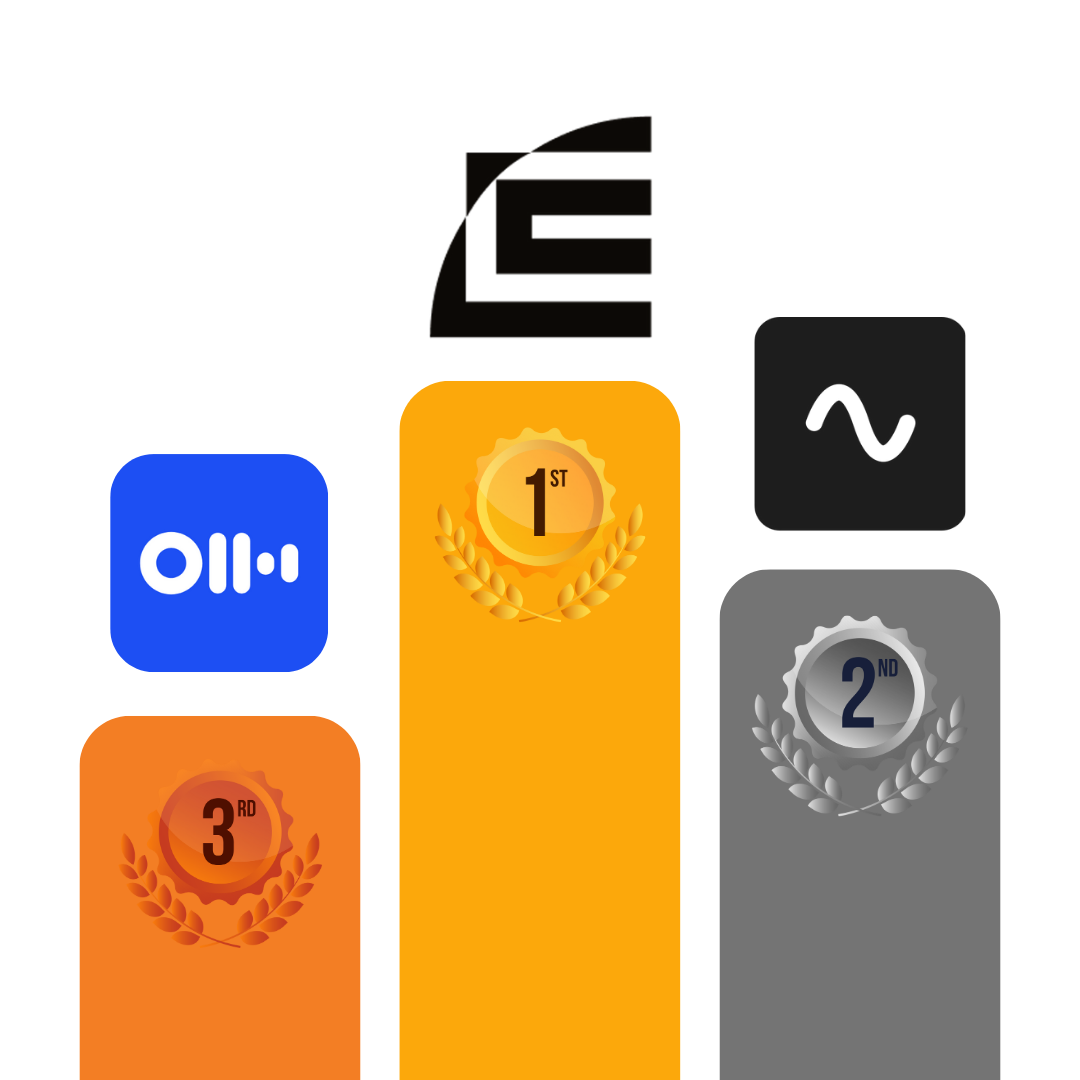
Feature |

Riverside |

Otter AI |
.png)
Castmagic |
|---|---|---|---|
| Content Import & Management | ✅ Has a built-in remote recorder; you can also upload external files for editing/transcribing | ✅ Leverages calendar integration: OtterPilot auto-joins Zoom/Teams meetings to record and transcribe them in real-time | ✅ Supports file uploads and imports from YouTube, TikTok, Instagram, Vimeo, GDrive, Twitch, Reddit, Wistia, Rumble, Loom, or Zoom |
| AI-Powered Transcription | ✅ Transcribes in over 100 languages | ⚠️ Currently only supports English, Spanish, and French | ✅ Offers instant, highly accurate transcription in 60+ languages; with automatic speaker identification |
| AI Content Generation | ⚠️ Emphasis is on media (clips) rather than text | ⚠️ Creates concise meeting summaries and action item lists; useful for meetings but not so much for content creation | ✅ Generates 100+ content assets (social posts, blogs, emails, etc.) from 1 recording |
| Contextual AI Assistant | ❌ No built-in AI chatbot for interactive Q&A on your content | ✅ Allows real-time Q&A with an AI chatbot during and after meetings | ✅ Comes with Magic Chat, an AI chatbot that understands the context of your recording and produces on-point answers or write-ups |
| Audiograms & Video Clips | ✅ Auto-generates short video highlights from long recordings | ❌ Not applicable—Otter is not a tool for creating audiograms or video clips; its output is text-based | ✅ Enables quick creation of shareable clips and audiograms: highlight your favorite moments and export them as audio or video files ready to post |
| Customization & Branding | ⚠️ Provides some branding options for videos, but no AI-driven tone and style adjustments for texts | ❌ Outputs—transcripts, summaries, action lists—are fairly generic in style | ✅ Allows you to be in control of how the AI writes; you can add Custom Prompts to shape the content’s tone, style, or format to match your brand voice |
| Real-Time Collaboration | ⚠️ Collaboration is mostly at the recording stage | ⚠️ Highly collaborative for note-taking but not for creating content | ✅ Supports shared workspaces and multi-user access with roles; team members can concurrently review and edit content within the platform |
| Feedback & Approval Workflows | ❌ No dedicated feedback and approval workflow system | ⚠️ Basic feedback via shared notes; no structured approval workflow | ✅ Team members or clients can edit content blocks directly, mention another team member, or leave feedback via comments |
| Content Project Management | ❌ Helps schedule and organize recordings; beyond recording, it doesn’t track content publication or repurposing tasks | ❌ Project management is specific to meeting cadences, not content projects | ✅ Enables you to manage content campaigns from ideation to publishing: create content blocks, set deadlines, assign them to specific team members, and tag them with customized labels |
| Customer Support & Community | ⚠️Provides help resources; some users have reported trouble contacting the support team | ⚠️ Has a help center and an AI chatbot for support; no live chat support with human agents for urgent concerns | ✅ Offers live chat and quick assistance, provides a helpful onboarding call, has a Slack community of creators, and the team is very receptive to feedback |
| SCORE | 5/10 — 2nd | 4.5/10 — 3rd | 10/10 — 1st |
| Legend: ✅ Yes (fully supported); ⚠️ Limited/Basic; ❌ No support for this feature | |||
The podcasting landscape of 2025 demands more from creators than ever before. Your audience now expects to engage with your content across multiple formats and platforms—not just through their podcast app. This fundamental shift has exposed critical gaps in the traditional content creation toolkit.
For years, podcasters have relied on specialized tools that excel at specific functions but fail to connect the dots. Record a pristine interview with Riverside, transcribe it accurately with Otter, then face the daunting reality: you're still hours away from having content ready to publish across blogs, newsletters, and social channels.
This comparison explores how Castmagic is reimagining the entire podcast production workflow by addressing the crucial missing piece—content transformation. We'll examine where each platform shines, where they fall short, and why the future belongs to integrated solutions that eliminate the barriers between spoken words and publishing-ready assets.
Key Takeaways: Riverside vs Otter vs Castmagic
- Riverside FM is ideal for podcasters and content creators who prioritize pristine audio quality and need reliable remote recording capabilities, but don't require extensive content repurposing functionality.
- Otter AI is best suited for professionals and teams primarily seeking accurate transcription and basic meeting assistance features, especially those who need to capture and review spoken content without extensive repurposing.
- Castmagic is perfect for serious podcasters, content creators, marketers, and brands looking to transform their audio/video into multiple content formats (blogs, social posts, emails) while dramatically reducing production time through AI automation.
- Castmagic outperforms both alternatives by providing an end-to-end solution that goes beyond recording and transcription to offer AI-powered content generation in 60+ languages, granular customization options, and comprehensive workflow management tools.
Riverside: Best for Remote Podcast Recording
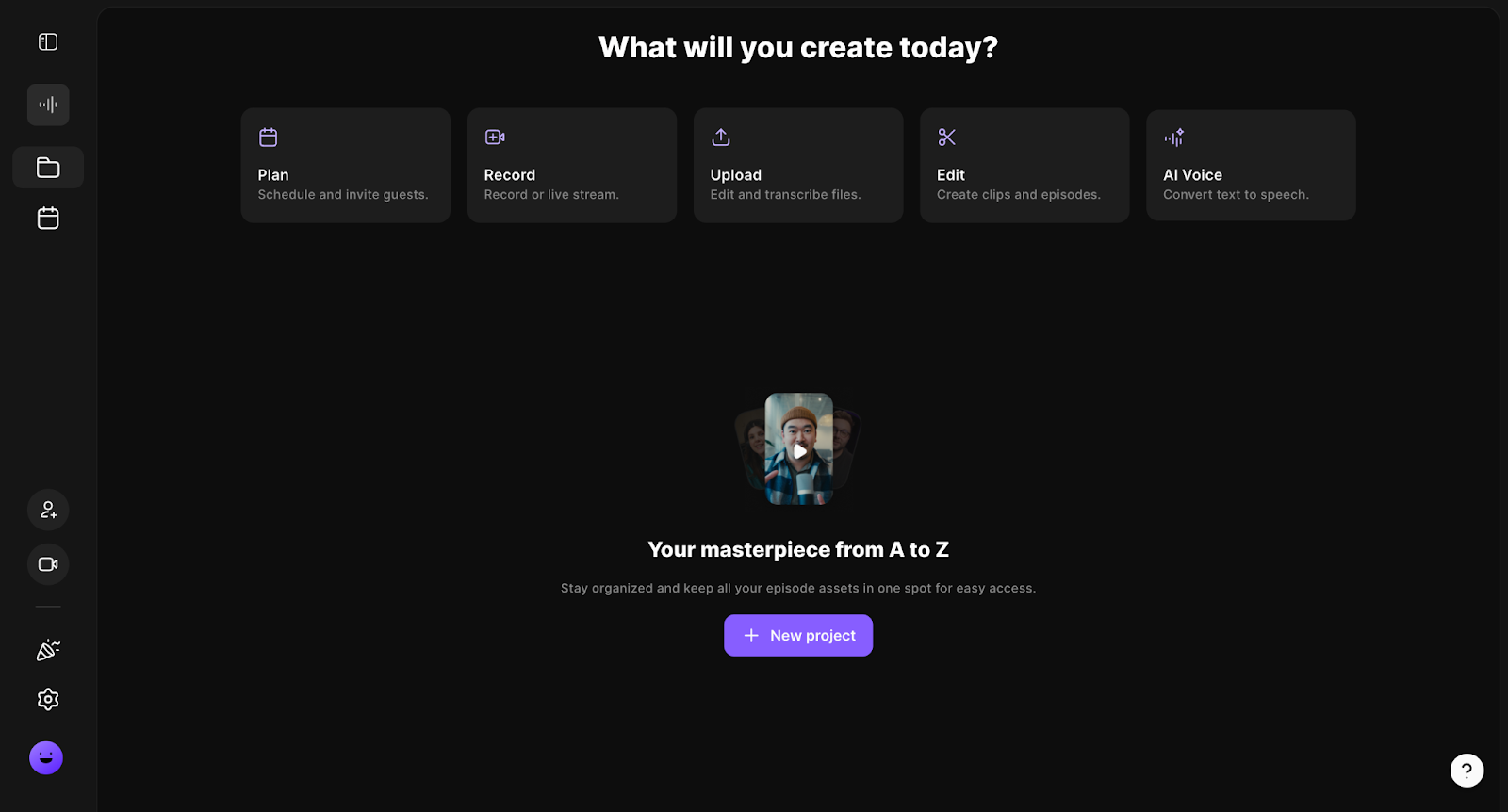
has earned its reputation as the go-to platform for high-quality remote recording. Its standout feature is the ability to capture lossless audio and 4K video locally on each participant's device, eliminating the quality issues often associated with internet-based recordings.
The platform offers an intuitive virtual studio where hosts can monitor recordings in real-time and engage with guests seamlessly. For podcasters focused primarily on production quality, Riverside delivers exceptional results with features like separate audio tracks, screen sharing, and live editing capabilities.
However, once recording concludes, Riverside offers limited options for what happens next. While basic editing tools are available, podcasters still face the time-consuming challenge of repurposing their content for blogs, social media, newsletters, and other formats—a crucial gap that leaves many creators unable to fully leverage their valuable content.
Otter AI: Best for Efficient Transcription
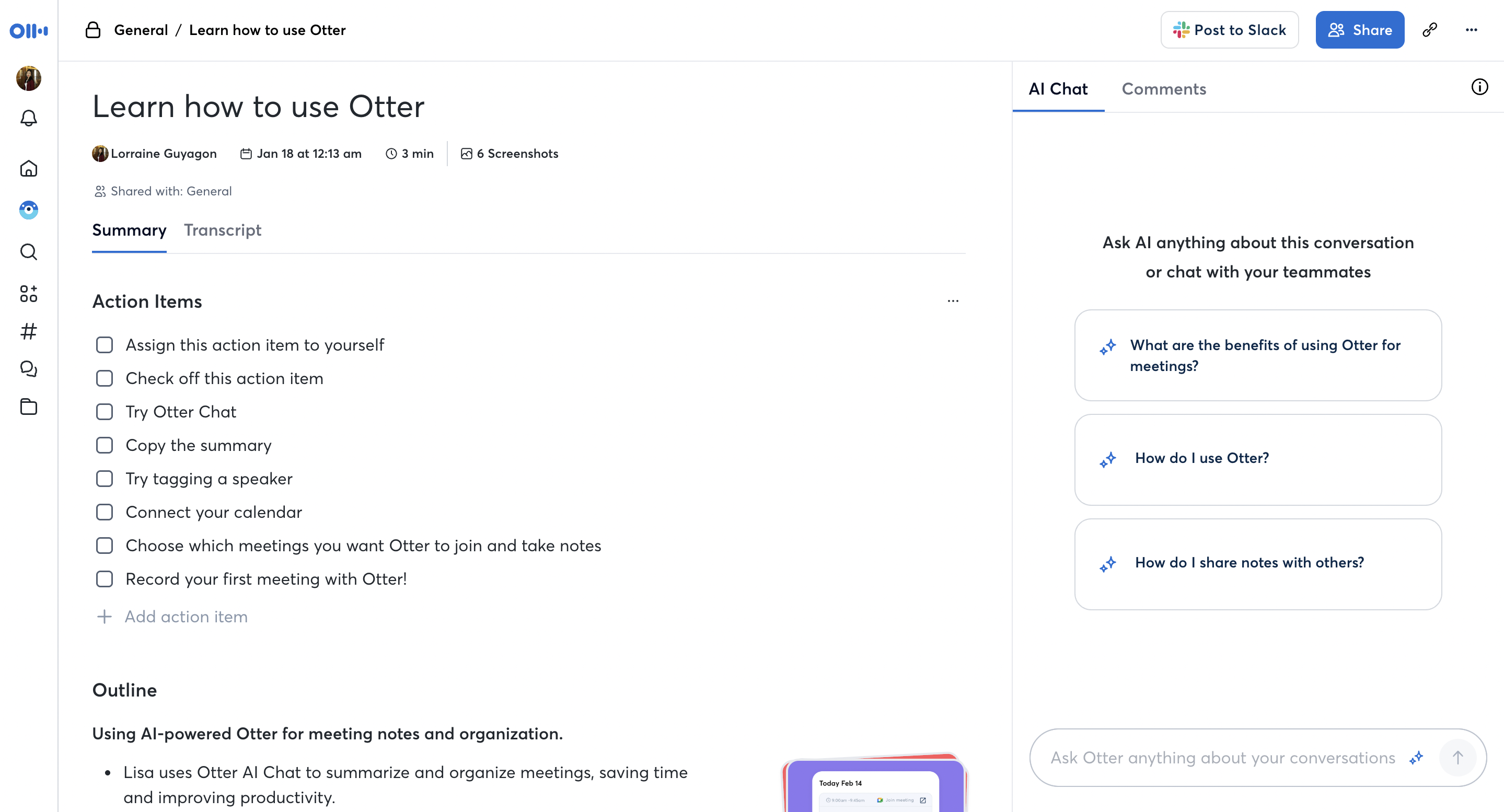
excels in what it was designed to do: quickly transform spoken words into accurate written text. Its speech recognition technology powers through hours of recordings, automatically identifying speakers and organizing content with timestamps for easy navigation.
With support for English, Spanish, and French, Otter serves as a reliable assistant for capturing meeting notes, lectures, and podcast content. Its basic summary feature extracts key points and action items, saving users from sifting through lengthy transcripts to find important information.
Yet Otter's focus on transcription means it stops short of addressing the content creator's complete workflow. Once you have your transcript, you're left to manually craft blog posts, social media content, newsletters, and other assets—a process that can consume hours for each episode. This limitation forces creators to either spend precious time on repurposing or leave potential audience engagement opportunities untapped.
Castmagic: Best for Automated Podcast Repurposing
Castmagic represents the evolution of podcast production tools, taking the process far beyond recording and transcription. At its core, Castmagic transforms your audio content into publish-ready assets across multiple formats in seconds, not hours.
With support for over 60 languages and industry-leading AI, Castmagic instantly generates blog posts, social media content, email newsletters, and more—all while maintaining your unique voice and style. Its customization options let you fine-tune outputs through expert-designed prompts or create your own to perfectly match your brand identity.
What truly sets Castmagic apart is its comprehensive workflow management. From transcription to content pipeline management, collaborative editing to multimedia clip generation, it offers a centralized solution that eliminates the need for multiple tools and drastically reduces production time. Trusted by 75,000 creators, it's changing how professionals approach content creation.
Riverside vs Otter: Recording vs Transcription Specialists
Riverside and Otter AI serve completely different parts of the content creation process. Riverside focuses on capturing high-quality audio and video recordings, while Otter specializes in converting those recordings into text.
Riverside's strength lies in its recording technology, which captures lossless audio locally for each participant, regardless of internet connection quality. Otter, meanwhile, offers real-time transcription with speaker identification, making it useful for meetings and interviews.
However, both platforms leave significant gaps in the content workflow. Riverside doesn't help much with post-production content creation, and Otter stops at basic transcription with limited language support. Castmagic bridges these gaps by handling the entire process from transcription to multi-format content generation.
TL;DR: Riverside excels at recording but not content creation; Otter handles basic transcription but not repurposing; only Castmagic addresses the full workflow from recording to publish-ready content.
Riverside vs Castmagic: Beyond Recording to Content Creation
Riverside and Castmagic both support content creators, but with fundamentally different approaches. While Riverside focuses primarily on recording technology, Castmagic takes your content journey much further with comprehensive AI-powered generation capabilities.
Riverside's virtual studio allows for high-quality remote recording but offers limited features for repurposing that content. In contrast, Castmagic instantly transforms your recordings into multiple content formats—blogs, social posts, emails—all customized to match your brand voice and audience needs.
For collaborative teams, Castmagic provides superior content workflow management through its Content Pipeline feature. This allows for seamless assignment, editing, and scheduling of content, streamlining the entire process from concept to publication in ways that Riverside simply wasn't designed to address.
TL;DR: Riverside is essentially a recording tool with basic editing, while Castmagic is a complete content transformation platform that saves hours of manual work turning audio into multiple content assets.
Otter vs Castmagic: Transcription vs Complete Content Transformation
Otter AI and Castmagic begin with similar transcription capabilities, but quickly diverge in their scope and power. Otter excels at converting speech to text and providing basic meeting assistance but stops there. Castmagic begins with transcription and then unleashes powerful AI to transform that text into various content formats.
The language support difference is stark—Otter handles just three languages, while Castmagic supports over 60, making it vastly more versatile for global creators. Otter's customization options are limited to vocabulary additions, whereas Castmagic offers extensive control over tone, style, and format of generated content.
Castmagic's collaborative features also surpass Otter's, with comprehensive content workflow management that allows teams to track content from creation to distribution. The platform enables true content scale that Otter users can only achieve through significant additional manual work or multiple external tools.
TL;DR: Otter provides basic transcription but requires manual content creation afterward; Castmagic delivers the full package from transcription to publish-ready content across multiple formats and channels.
Work less, publish more
- Kickstart your content creation with 100+ ready-made, top-performing prompts
- Effortlessly repurpose podcasts, webinars, meetings into multi-format content
- Train AI on your top content to generate hyper-personalized variations at scale
- Scale up your content quality and quantity, not your effort

If You Use Riverside or Otter, Here's Why You'll Love Castmagic
Already using Riverside or Otter but feeling the limitations? Many creators start with these specialized tools only to discover they address just a fraction of the content creation process.
If you're tired of cobbling together multiple solutions or spending hours manually repurposing your recordings, Castmagic offers the comprehensive workflow you've been searching for.
Here's how Castmagic transforms the podcast production experience for creators ready to take their content strategy to the next level:
1. From One Recording to Multiple Content Assets
Castmagic takes your audio recordings and instantly transforms them into a variety of content formats. While Riverside gives you a raw recording and Otter provides a transcript, Castmagic delivers publish-ready blog posts, social media content, email newsletters, and more—all from a single source. This exponentially increases your content output without requiring additional time or resources, allowing you to maintain a consistent presence across multiple platforms.
2. AI That Writes in Your Voice
Unlike the generic outputs from other platforms, Castmagic's advanced AI understands and preserves your unique voice and style. You can choose from expert-designed prompts, community templates, or create custom settings that match your specific brand requirements. Train the AI with your existing content to ensure consistent tone and messaging. This level of customization ensures that all generated content authentically represents your brand, regardless of format or platform.
3. Comprehensive Language Support
Castmagic dramatically outperforms Otter's limited language capabilities by supporting transcription and content generation in over 60 languages. This makes it invaluable for creators and businesses with global audiences or multilingual content needs. Whether you're creating content in multiple languages or expanding into new markets, Castmagic eliminates language barriers that restrict other platforms and helps you connect with diverse audiences worldwide.
4. Streamlined Content Workflows
The Content Pipeline feature sets Castmagic apart from both Riverside and Otter by providing a complete workflow management system. Create, schedule, assign, and track content blocks with customized labels for better organization. Team members can collaborate efficiently through comments and notifications, while robust filtering options make it easy to sort content by status and priority. This integrated approach eliminates the need for multiple tools to manage your content production process.
5. Time-Saving Media Clipping and Audiogram Generation
Castmagic goes beyond text to help you create engaging multimedia assets. Simply highlight portions of your transcript to clip the corresponding audio or video segments. For video content, Castmagic Studio lets you add captions and generate eye-catching audiograms perfect for social media sharing. These multimedia capabilities help you capture audience attention across platforms with minimal effort, a feature notably absent from both Riverside and Otter.
The End of Content Silos: One Platform to Rule Them All
Traditional content tools force creators into a frustrating cycle of platform-hopping and manual labor. Record here, transcribe there, then spend hours crafting derivative content across various channels. This fragmented approach doesn't just waste time—it actively prevents content scaling.
Castmagic breaks down these artificial barriers by unifying the entire content workflow. While Riverside excels at recording quality and Otter delivers reliable transcription, only Castmagic completes the journey—carrying your ideas from spoken word to published assets across multiple formats with minimal effort.
The most successful creators in 2025 understand that content velocity is the new competitive advantage. By automating the transformation process that other platforms ignore, Castmagic doesn't just save you time—it fundamentally changes what's possible with your content strategy.
For podcasters serious about building a sustainable, multi-platform presence without burning out, the choice is increasingly clear: why settle for tools that address just one fragment of your workflow when you could have a complete solution?

Riverside FM FAQs
What is Riverside FM used for?
Riverside FM is a remote audio/video recording software. It is primarily used by podcasters, interviewers, and content creators who need to capture professional-grade conversations or performances virtually. Riverside FM allows users to record lossless audio and up to 4K video locally on each participant's device, ensuring optimal quality regardless of internet connectivity. The platform also offers features like automated transcription, audio/video editing tools, teleprompter, script support, screen sharing, and post-production tools.
Is Riverside FM free to use?
Riverside FM offers a free plan with limited features and usage restrictions. The free plan includes unlimited video calling and up to 2 hours of audio/video recording time per month, with a maximum of 720p video quality and 44.1 kHz audio. However, recordings made on the free plan will include a Riverside FM watermark. To access advanced features, higher recording quality, and additional recording time, users need to upgrade to one of the paid plans.
How expensive is Riverside FM?
Riverside FM’s paid plans start at $15 per month (billed annually) or $19 per month (billed monthly) for the Standard plan, which includes 5 hours of audio/video recording time, up to 4K video quality, and 48 kHz audio. The Pro plan, priced at $24 per month (billed annually) or $29 per month (billed monthly), offers 15 hours of audio/video recording time and additional features like Magic Audio, teleprompter, and live studio. Enterprise plans with custom pricing are also available for larger organizations with specific requirements.
Who owns Riverside FM?
Riverside FM was founded in 2019 by Nadav Keyson and Gideon Keyson, two brothers with backgrounds in video production and software engineering. The company is headquartered in Tel Aviv, Israel.
Otter AI FAQs
What is Otter AI?
Otter AI is a transcription service commonly used for meetings, lectures, interviews, and other spoken content.
Which languages does Otter AI support?
As of now, Otter AI supports transcriptions in English (U.S. and U.K.), Spanish, and French. Users can set their default language for transcription within the app.
What is OtterPilot?
OtterPilot is an AI meeting assistant that automates various aspects of meetings, including joining scheduled meetings, transcribing conversations in real-time, capturing images of slides shared during virtual meetings, and providing AI meeting notes and summaries of key topics discussed.
Is there a limit to the duration of recordings on Otter AI?
The duration limits for recordings depend on the subscription plan. For instance, the Basic plan offers 300 free transcription minutes per month, with a maximum of 30 minutes per recording. Upgrading to Pro or Business plans increases both the monthly transcription minutes and the maximum duration per recording.
Does Otter.ai integrate with other apps?
Yes, Otter.ai integrates with various applications, including calendar apps for scheduling, and virtual meeting platforms like Zoom, Google Meet, and Microsoft Teams for real-time transcriptions.
Unify Your Content Workflow with Castmagic
Claim Your 7-Day Free Trial Today