

How to Add Captions to Instagram Stories and Increase Engagement
Adding captions to your Instagram stories is a great way to boost views and engagement. Captions on Instagram make your stories more accessible and help viewers understand your content better. In this post, we'll show you how to add captions to your Instagram stories step-by-step, so you can start reaching a wider audience and getting more views. We'll also share some tips for choosing the right font and size for your captions to maximize readability and visual appeal. Let's dive in and learn how to use captions to take your Instagram stories to the next level!
Understanding the Importance of Captions on Instagram
What Are Instagram Story Captions?
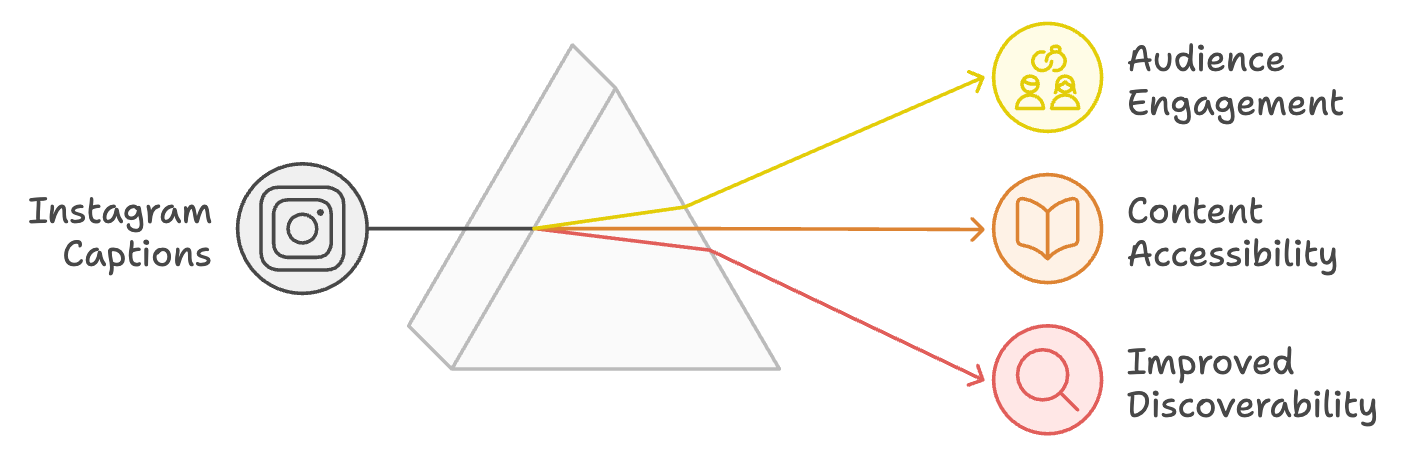
Instagram story captions are text overlays that appear on your stories, providing a written version of the spoken content or additional context. Whether you use AI transcription software, or create captions within the Instagram app, captions are vital for Instagram Stories because they make your content more accessible to a wider audience. This includes those who are deaf, hard of hearing, or viewing your stories in a sound-off environment.
When you offer captions, you ensure that your message is conveyed effectively to all viewers, regardless of their ability to hear or listen to the audio. Moreover, captions can enhance viewer interaction and understanding by reinforcing key points, clarifying complex ideas, or adding humor or personality to your stories.
Related: Learn about Instagram Reels transcription with Castmagic.
Increasing Visibility and Accessibility with Captions
Many users consume social media content with the sound off, whether they're in a public setting or simply multitasking. Captions allow your stories to be understood and enjoyed even when the audio is muted, increasing their visibility and reach. Additionally, captions make your content more accessible to individuals with hearing impairments, ensuring that no one is left out from experiencing your stories fully.
Embrace captions and you'll not only cater to diverse audiences, but also demonstrate your commitment to inclusivity and accessibility. This can foster a deeper connection with your followers, who will appreciate your efforts to make your content engaging and understandable for everyone. Furthermore, ensuring your stories are accessible can lead to increased engagement, as viewers are more likely to interact with and share content they can fully comprehend and enjoy.
Still not convinced? Maybe this will help nudge you into captioning your Instagram stories. Growth marketing firm Crisp.co reported that when you caption your content, you can see as much as a 40% increase in viewing. In fact, if you caption your content, 80% of people are more likely to watch your entire Instagram story! The opportunity to get a leg up on competing videos sounds like reason enough to us to consider adding Instagram story captions.
Related: Read our post "The Benefits Of Transcribing Podcasts For Accessibility And SEO"
Adding Captions to Instagram Stories within The Instagram App

Step-by-Step Guide to Adding Captions
Adding captions to your Instagram Stories is a straightforward process.
1. First, record or upload your story as you normally would.
2. Then, tap the sticker icon at the top of the screen and select the "Captions" sticker. Instagram will automatically transcribe your audio and display the captions on your story. 3. You can edit the captions for accuracy, change the font and color, and position them on the screen.
If you encounter issues during the captioning process, such as inaccurate transcriptions or missing captions, try speaking clearly and at a moderate pace, or consider adding captions manually using the text tool.
Selecting the Right Font and Size
When adding captions to your Instagram Stories, it's essential to choose a font and size that maximizes readability and complements your story's aesthetic. Opt for a clean, simple font that is easy to read, such as Instagram's default "Classic" font or the "Strong" font for added emphasis. Avoid using overly stylized or decorative fonts that may be difficult to read.
As for size, ensure that your captions are large enough to be easily read on a small screen but not so large that they obstruct important visual elements. Consider the pacing of your story and allow enough time for viewers to read and process the captions comfortably.
Using Third-Party Software for Captioning
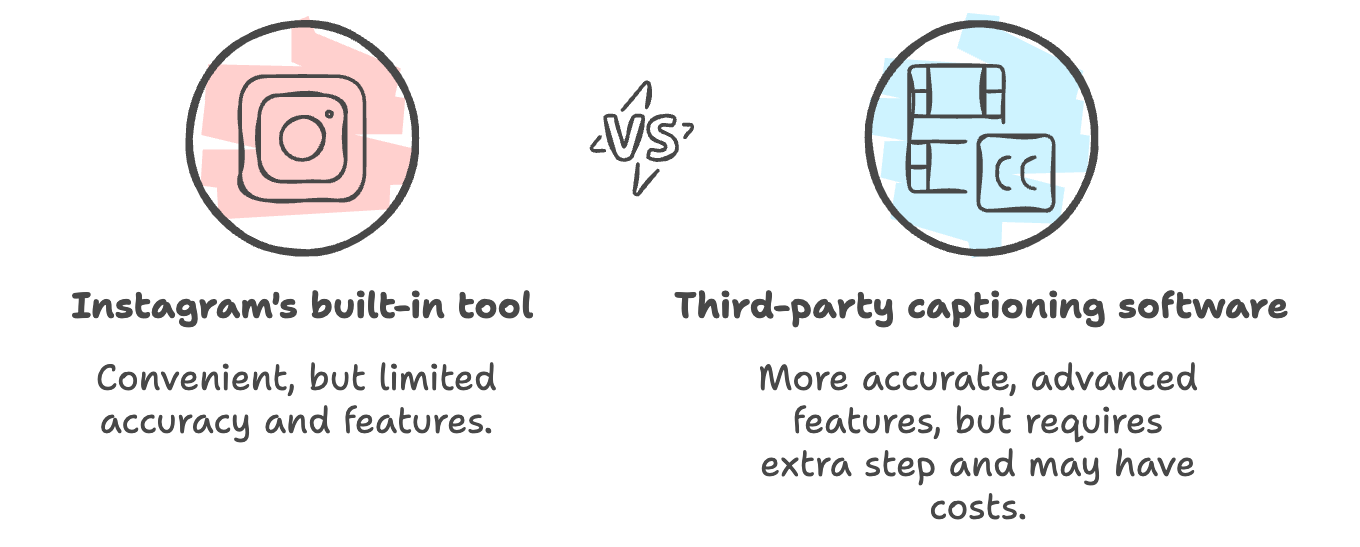
While Instagram's built-in captioning tool is convenient, there may be times when it doesn't work as expected or doesn't provide the level of accuracy you need. In such cases, turning to third-party captioning software can be a viable solution.
Several apps and web tools specialize in adding captions to videos, allowing you to transcribe your audio manually or use automatic speech recognition. Look for tools that provide more advanced editing features, such as the ability to adjust caption timing, formatting, and positioning.
Once you've captioned your video using a third-party tool, you can save or export it and then upload it to your Instagram Stories. While this process may require an extra step, it ensures that your Stories remain accessible and engaging, even when Instagram's native captioning tool falls short.
When selecting a third-party captioning solution, consider factors such as accuracy, ease of use, and compatibility with various video formats. Additionally, be mindful of any costs associated with these tools, as some may offer free trials or limited functionality before requiring a subscription or per-minute charges.
Having a backup plan for captioning helps you maintain a consistent level of accessibility and quality for your Instagram Stories, ensuring that your content remains inclusive and engaging for all viewers.
Using a third party option also gives you more control over what your captions will look like! And, you can then use your download to repurpose on other social media platforms like Facebook and TikTok as well as LinkedIn and YouTube.
Maximizing the Longevity of Your Stories with Highlights

While Instagram Stories disappear after 24 hours, you can extend the lifespan of your best stories by saving them to Story Highlights. Highlights are a curated collection of your past stories that live on your profile, providing your followers and visitors with a glimpse into the content you've previously shared.
The simple act of saving your captioned stories to Highlights helps you ensure that your efforts in creating accessible, engaging content pay off long after the initial 24-hour window. This not only increases the visibility and potential reach of your stories but also allows new followers to catch up on content they might have missed.
Strategically organizing your Highlights into themed categories, such as "Behind the Scenes," "Product Launches," or "Q&A Sessions," can further enhance the user experience and make it easier for viewers to find the content most relevant to their interests.
Highlights also serve as a valuable archive of your brand's journey, allowing you to showcase your growth, milestones, and evolution over time. This can foster a deeper connection with your audience, as they witness the progression of your brand and the consistent effort you put into creating quality, accessible content.
Leverage the power of Highlights, and you can maximize the impact of your captioned Instagram Stories, ensuring that your message reaches a wider audience and leaves a lasting impression on your followers.
Expanding Caption Use to Instagram Reels
While captions are crucial for Instagram Stories, their importance extends to other Instagram features, such as Reels. By captioning your Reels, you can make your short-form video content more accessible and engaging for a wider audience. Captioned Reels can lead to increased views, engagement, and reach, as they cater to viewers who prefer to consume content with the sound off or those with hearing impairments.
For a step-by-step guide on how to add captions to your Instagram Reels, check out our full article "3 Ways - How to Add Captions to Reels on Instagram" on our website.
It’s Time to Start Captioning Your Instagram Stories
As we bring this Instagram Story caption post to a close, it's important to remember that accessibility is the name of the game. When incorporating captions into your Instagram Stories and Reels, you're not just ticking a box – you're opening up a world of possibilities for your audience.
Think about it: with captions, you're ensuring that your message reaches everyone, from those scrolling silently on their commute to those with hearing impairments. It's a simple yet powerful way to foster inclusivity and show that you care about creating a welcoming space for all.
But let's not forget the fun factor! Captioning your content doesn't have to be a boring, monotonous task. Embrace your creative side and experiment with different fonts, colors, and styles to make your captions as eye-catching as your visuals.
It’s time to start captioning your Instagram stories - Whether you opt for Instagram's built-in tools or explore third-party captioning software, the choice is yours. Just remember to stay true to your brand's voice and have a blast while doing it.
More blogs like this

How to Do a Voice Over: Beginner Tips for Professional Sound
Ever wondered why some voiceovers make you stop scrolling while others make you hit skip faster than you can say "subscribe"? The simple fact is, viewers are far more likely to abandon a video with poor audio quality than one with lower-quality visuals. Yep - you read that correctly. Your voice and audio matter more than your fancy camera!

Best AI Newsletter Generators to Create Emails
AI newsletter generators are software platforms that use artificial intelligence to automate and enhance every aspect of email newsletter creation. We're talking about tools that can draft compelling copy, design eye-catching layouts, personalize content for individual subscribers, and optimize send times. They can do all of this with minimal human intervention!

The Unauthorized Guide to Downloading Audio from Websites
Let's preface this by addressing the elephant in the room. When you decide to download YouTube videos or rip audio from your favorite audio player, it's best to do it with permission, or to only download your own videos/audio.That said, we know there are lots of downloader programs online.Just make sure you're only using whatever you download for personal us

How to Use AI Podcast Show Notes to Grow Your Show
What should take 30 minutes somehow stretches into two hours as you struggle to capture the essence of your conversation, identify key timestamps, and craft something that will actually help people discover your show. Sound familiar? Here's the thing though, search engines can't listen to your audio content. They rely entirely on text to understand what your episodes are about.

How to Generate Great Podcast Titles Fast Using AI Tools
Learning how to generate podcast titles doesn't have to be a months-long creative struggle anymore. We're living in an era where artificial intelligence can serve as our brainstorming partner, offering fresh perspectives and creative combinations we might never have considered on our own.Read along as we explore how to harness these powerful tools to create a podcast name that's memorable, discoverable, and perfectly aligned with your brand.
6 Best Otter.ai Alternatives in 2026 (Free and Paid)
Looking for an Otter.ai alternative? Here are the 6 best, sorted by the job you actually need done: live meeting notes, transcribing recordings, or turning a recording into finished content.

Best Transcription Software for Podcasters: Save Time with AI Tools
AI transcription technology has fundamentally changed how we create and distribute podcast content. What once took professional transcribers as much as four hours to complete for a single hour of audio can now happen in minutes with remarkable accuracy using speech to text technology.
Monetizing a Podcast: What Top Creators Do to Make Money
Starting a podcast – especially a podcast that makes money – requires dedication, strategy, and a deep understanding of what makes your audience tick. Whether you're just starting out or looking to take your established podcast to the next level financially, we've got you covered with insights from the industry's most successful creators.

Guide to Creating a Podcast App: Features You Need
Whether you're targeting content creators looking for better monetization tools or audiences seeking personalized recommendations, the features you choose will make or break your app's success. In this quick and easy guide, we're diving deep into everything you need to know about creating a podcast app that stands out today. From must-have functionalities to advanced features that'll set you apart, we've got you covered!