
Descript vs Repurpose.io vs Castmagic: Ultimate Guide for Podcasters (2026)
The real podcast time-sink isn't editing or distribution—it's transforming audio into multiple content formats. Descript and Repurpose.io leave this massive burden on your shoulders, while Castmagic lifts it with AI-powered content generation.
Try Castmagic
Feature |

Descript |

Repurpose.io |
.png)
Castmagic |
|---|---|---|---|
| Content Import & Management | ✅ Supports file uploads or imports from YouTube, GIPHY, or Zoom | ✅ Connects YouTube, TikTok, Instagram, Facebook, LinkedIn, Dropbox, and GDrive to automate content movement across platforms | ✅ Supports file uploads and imports from YouTube, TikTok, Instagram, Vimeo, GDrive, Twitch, Reddit, Wistia, Rumble, Loom, or Zoom |
| AI-Powered Transcription | ✅ Transcribes in 25 languages; with automatic speaker identification | ⚠️ Good for quick audio-to-text conversions, not for detailed proofreading-level accuracy | ✅ Offers instant, highly accurate transcription in 60+ languages; with automatic speaker identification |
| AI Content Generation | ⚠️ Generates summaries and limited types of content | ❌ Does not generate new text content; its AI repurposes existing material into different formats, but you’ll need separate tools for writing original copy | ✅ Generates 100+ content assets (social posts, blogs, emails, etc.) from 1 recording |
| Contextual AI Assistant | ❌ No built-in AI chatbot for interactive Q&A on your content | ❌ No built-in AI chatbot for interactive Q&A on your content | ✅ Comes with Magic Chat, an AI chatbot that understands the context of your recording and produces on-point answers or write-ups |
| Audiograms & Video Clips | ✅Full timeline video editor to craft clips with captions, waveforms, images, etc. | ✅ Specifically designed to clip and reformat content: it can turn one piece of content into many clips with preset styles | ✅ Enables quick creation of shareable clips and audiograms: highlight your favorite moments and export them as audio or video files ready to post |
| Customization & Branding | ✅ Offers templates and branding tools for video/audio outputs | ✅ Supports visual branding through templates | ✅ Allows you to be in control of how the AI writes; you can add Custom Prompts to shape the content’s tone, style, or format to match your brand voice |
| Real-Time Collaboration | ✅ Multiple users can work on a Descript project and teammates can add comments on the transcript/timeline | ❌ Not inherently collaborative | ✅ Supports shared workspaces and multi-user access with roles; team members can concurrently review and edit content within the platform |
| Feedback & Approval Workflows | ✅ Facilitates feedback with comments and version history | ❌ Doesn't have built-in feedback and approval capabilities | ✅ Team members or clients can edit content blocks directly, mention another team member, or leave feedback via comments |
| Content Project Management | ❌ Focused on production—no content calendar or other scheduling tools | ⚠️ Acts as a content distribution management system: this largely automates the project of multi-platform publishing, though it doesn’t handle content ideation. | ✅ Enables you to manage content campaigns from ideation to publishing: create content blocks, set deadlines, assign them to specific team members, and tag them with customized labels |
| Customer Support & Community | ⚠️Offers documentation, tutorials, and a user community forum; support is available via live chat or tickets | ⚠️ Users seeking assistance can reach support through live chat or access resources via their help center | ✅ Offers live chat and quick assistance, provides a helpful onboarding call, has a Slack community of creators, and the team is very receptive to feedback |
| SCORE | 7/10 — 2nd | 4.5/10 — 3rd | 10/10 — 1st |
| Legend: ✅ Yes (fully supported); ⚠️ Limited/Basic; ❌ No support for this feature | |||
Time: the one resource podcasters can never get enough of. Between recording, editing, writing show notes, creating social posts, and drafting newsletters, content creation has become a full-time job. That's why tools like Descript, Repurpose.io, and Castmagic have become essential for modern creators—but which one actually solves the time crunch?
Each platform approaches the content challenge differently. Descript tackles the editing bottleneck with text-based audio manipulation. Repurpose.io addresses the distribution problem by reformatting content for different platforms. Castmagic, however, targets the biggest time sink of all: transforming your audio into multiple content formats through AI-powered generation.
For the 75,000+ creators already using Castmagic, the choice came down to simple math: would you rather spend hours manually repurposing content, or have an AI assistant generate publish-ready assets in seconds? Let's break down how these platforms compare and why one stands head and shoulders above the rest.
Key Takeaways: Descript vs Repurpose.io vs Castmagic
- Descript is the ideal software for individuals and small podcasters who primarily need a simple way to edit audio/video by manipulating text transcripts and aren't concerned with extensive content repurposing or workflow management.
- Repurpose.io is best for social media managers and smaller teams focused on basic video trimming, resizing, and cross-posting to different social platforms without needing to generate new content.
- Castmagic is the optimal choice for professional podcasters, content creators, marketers, and businesses looking to maximize their ROI by automatically transforming audio/video into multiple high-quality content formats (blogs, social posts, emails) while managing their entire content workflow.
- Castmagic offers a true end-to-end solution with superior AI content generation in 60+ languages, deep customization options, and comprehensive workflow management—transforming your content strategy from basic editing or redistribution to strategic, scalable repurposing.
Descript: Best for Text-Based Podcast Editing
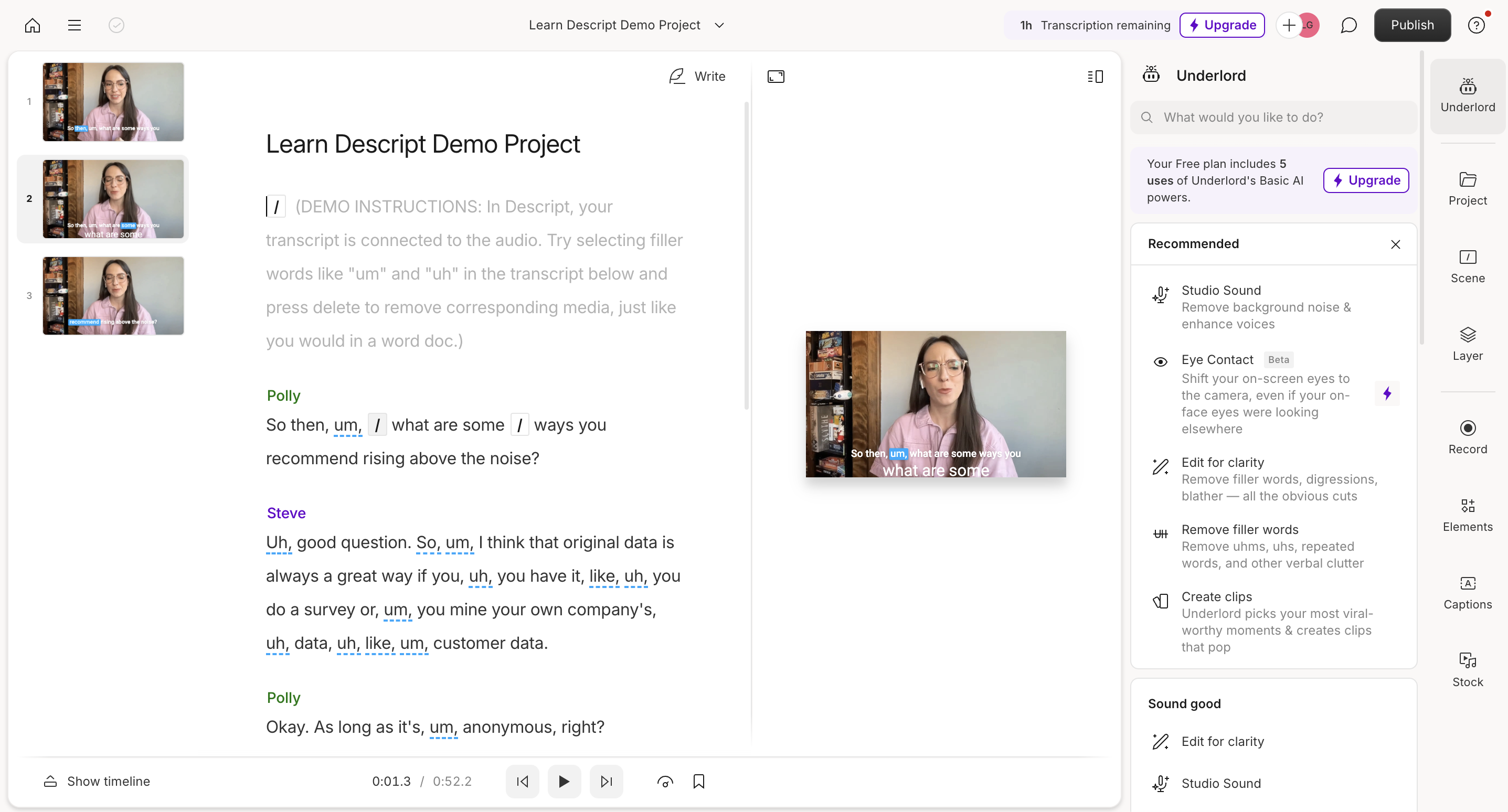
Descript offers an integrated platform where podcasters can transcribe, edit, and collaborate on audio projects. It converts spoken content into text, allowing users to edit audio by simply modifying the transcript—making it accessible to those without traditional audio editing skills.
The platform shines when it comes to fixing mistakes, removing filler words, or rearranging segments in your podcast. It includes features like screen recording, remote recording, and AI speech synthesis, which can be helpful for basic podcast production.
However, Descript falls short when it comes to content repurposing. Once your podcast is edited and polished, you're essentially on your own—left to manually transform that audio into blog posts, social content, or newsletters. This creates a significant time bottleneck for creators trying to maximize their content's reach.
Repurpose.io: Best for Simple Content Distribution
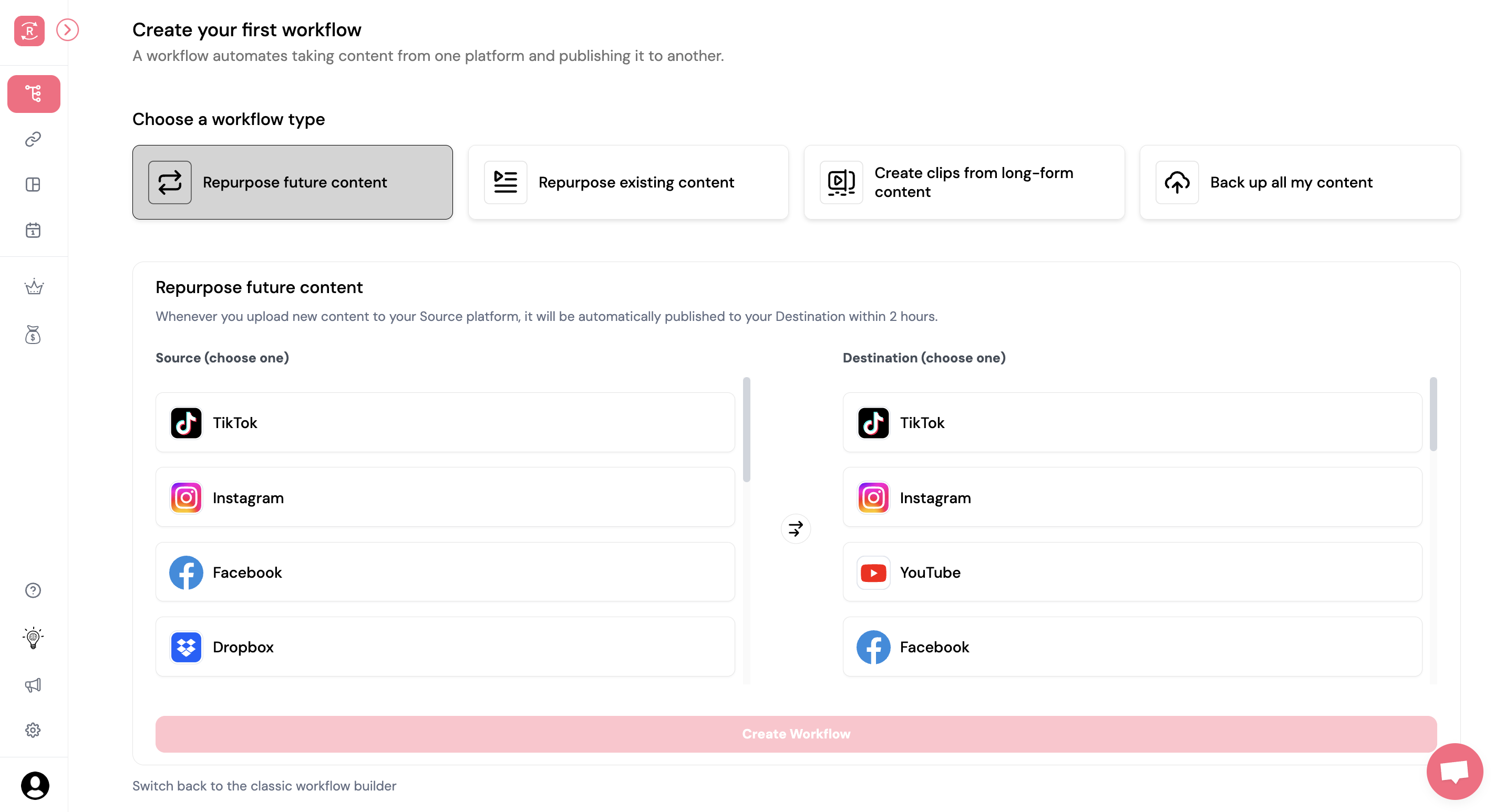
Repurpose.io specializes in helping creators distribute their content across multiple social media platforms. It's designed to trim, resize, and reformat video content to meet the specific requirements of platforms like Instagram, TikTok, YouTube, and others.
The platform automates the process of creating video clips and ensures they're properly formatted for each destination. This saves time for content creators who would otherwise need to manually adjust their videos for every platform they want to publish on.
Yet Repurpose.io is fundamentally limited in scope. It focuses on reshaping and redistributing the same content rather than transforming it into entirely new formats. There's no AI-powered content generation or ability to turn your podcast into written assets like blog posts or newsletters—leaving a major gap in maximizing your content's value.
Castmagic: Best for Automated Podcast Repurposing
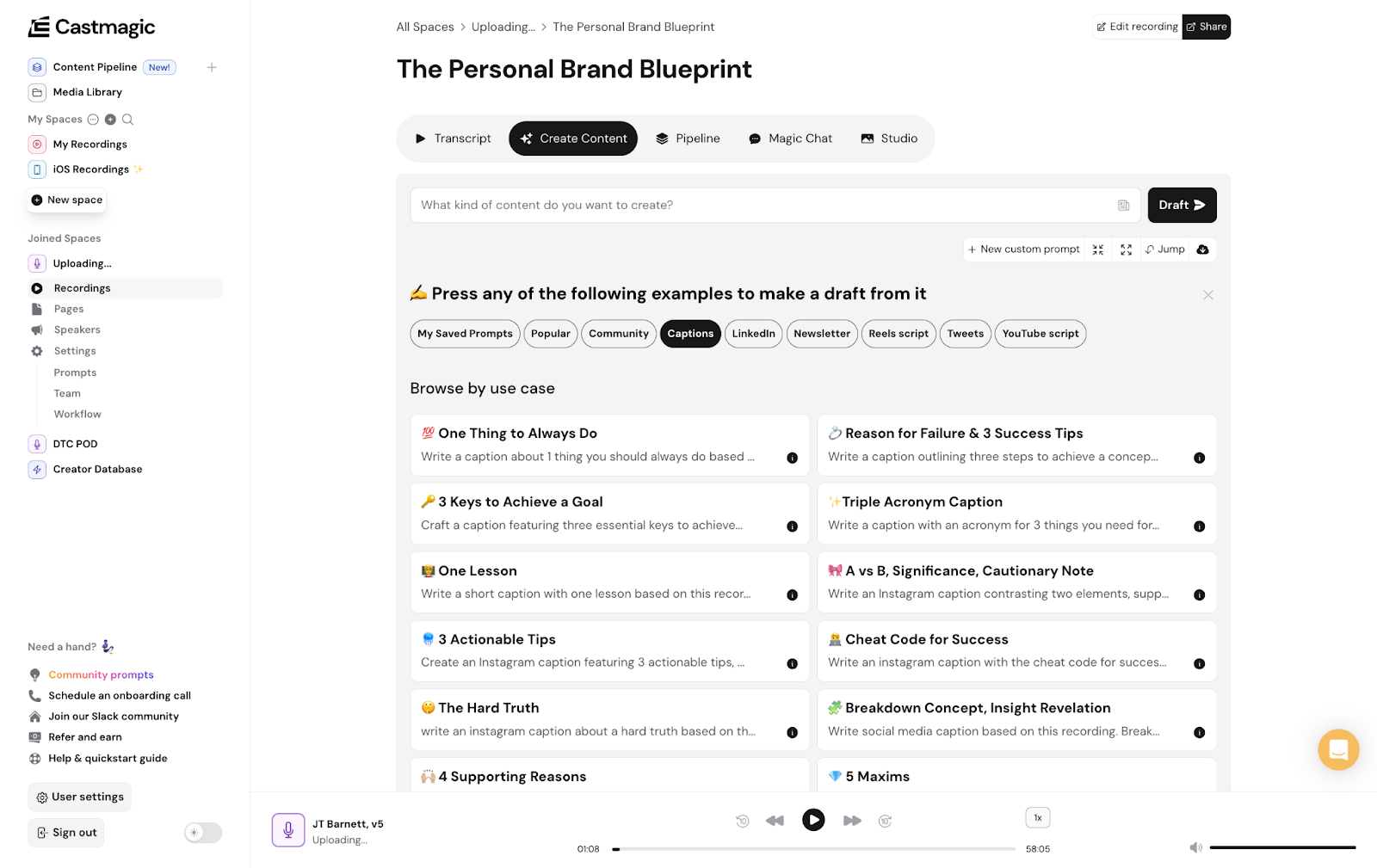
Castmagic stands as the future of automated content workflows, turning your podcast recordings into a multitude of content assets using AI. In seconds, it can draft publish-ready content like blogs, emails, or social media posts, saving you valuable hours of work.
The platform instantly transcribes your content in over 60 languages and generates contextual material based on your specifications. You can leverage Castmagic's presets and community prompts or configure your own content settings to match your specific requirements, ensuring everything aligns with your unique voice, tone, and style.
Beyond just text generation, Castmagic offers comprehensive workflow management through its Content Pipeline, allowing you to schedule content, assign tasks to team members, and track progress—essentially functioning as your content command center. Trusted by 75,000 creators and businesses, it's transforming content creation from a labor-intensive process into an AI-powered workflow.
Descript vs Repurpose.io: Editing vs Distribution Focus
Descript and Repurpose.io serve different phases of the content creation process. Descript focuses on making audio and video editing more accessible through text-based manipulation, while Repurpose.io helps with basic distribution by reformatting content for multiple platforms.
Both tools lack advanced content generation capabilities. Descript users still need to manually create supplementary content like blog posts or newsletters, while Repurpose.io users are limited to resharing the same content in different formats rather than transforming it.
Neither platform offers comprehensive workflow management or collaboration features for content teams looking to scale their operations. For teams needing both editing capabilities and content distribution, using Descript and Repurpose.io together still leaves a significant gap in the content repurposing process.
TL;DR: Descript helps you edit podcasts by manipulating text; Repurpose.io helps you distribute clips across platforms. Neither generates new content formats or manages your complete workflow like Castmagic does.
Descript vs Castmagic: Beyond Recording to Content Creation
While Descript and Castmagic share some foundational features like automatic transcription and speaker labeling, they diverge significantly in their core capabilities. Descript's primary value lies in making audio/video editing more intuitive through text manipulation, whereas Castmagic transforms your recordings into entirely new content assets.
Castmagic takes the content creation process several steps further with its unrivaled AI generation that instantly creates blogs, social posts, emails, and more—all customized to match your unique brand voice. Unlike Descript, Castmagic offers granular customization options, allowing you to fine-tune settings for tone, format, and style.
For businesses and content teams, Castmagic provides collaborative content workspaces with dynamic shared blocks, comprehensive workflow management, and hands-on customer support. While Descript offers some basic collaboration, it lacks the depth and flexibility of Castmagic's enterprise-grade features.
TL;DR: Descript is primarily an editing tool with limited repurposing capabilities; Castmagic is a complete content ecosystem that not only transcribes but generates high-quality, customized content assets across multiple formats.
Repurpose.io vs Castmagic: Repackaging vs True Transformation
Repurpose.io and Castmagic both aim to help creators maximize their content, but their approaches differ dramatically. Repurpose.io focuses on repackaging existing content by trimming, resizing, and redistributing it across platforms—essentially helping you post the same content in different places.
Castmagic, by contrast, offers true AI-powered content repurposing that transforms your recordings into entirely new, high-quality assets. Instead of just changing dimensions or cutting clips, Castmagic reimagines your content as articles, social posts, newsletters, and more—each optimized for its specific platform and purpose.
Where Repurpose.io falls short is in content customization and workflow management. With Castmagic, you get deep control over content style and tone, plus comprehensive project tracking, team collaboration, and automated workflows—making it not just a repurposing tool but a complete content management solution.
TL;DR: Repurpose.io simply redistributes your existing content in different formats; Castmagic intelligently transforms your recordings into multiple high-value content assets while managing your entire content workflow.
Work less, publish more
- Kickstart your content creation with 100+ ready-made, top-performing prompts
- Effortlessly repurpose podcasts, webinars, meetings into multi-format content
- Train AI on your top content to generate hyper-personalized variations at scale
- Scale up your content quality and quantity, not your effort
If You Use Descript or Repurpose.io, Here's Why You'll Love Castmagic
Every minute spent wrestling with limited tools is a minute not spent creating. While Descript and Repurpose.io each solve one piece of the puzzle, the time lost integrating them—or compensating for their limitations—can derail your production schedule. Here are five ways Castmagic gives you back precious hours while elevating your content quality:
1. All-in-One Content Ecosystem
Why juggle multiple platforms when you can have everything in one place? Castmagic offers a comprehensive solution that combines the best of Descript's transcription capabilities and Repurpose.io's distribution features—plus much more. From instantly generating transcripts in over 60 languages to creating publish-ready content in multiple formats, Castmagic streamlines your entire workflow from recording to publication, eliminating the need for complex tool stacks and reducing the risk of content bottlenecks.
2. Superior AI Content Generation
Castmagic's AI doesn't just transcribe—it creates. Unlike Descript and Repurpose.io, which leave you to manually craft derivative content, Castmagic's advanced AI instantly transforms your recordings into high-quality blogs, social media posts, emails, and more. This content is contextually relevant, maintaining your unique voice while adapting to each platform's requirements. Imagine recording a podcast episode in the morning and having a week's worth of content assets ready by lunch—that's the Castmagic difference.
3. Deep Customization for Perfect Outputs
Take control of your content like never before. Castmagic lets you fine-tune AI outputs to match your exact specifications through custom prompts, training samples, and adjustable parameters for style, tone, and format. Choose from 100+ expert-designed templates or create your own to ensure consistent branding across all content. While Descript offers basic editing and Repurpose.io provides simple formatting, neither gives you the granular control over content generation that Castmagic delivers.
4. Collaborative Content Workflow Management
Castmagic transforms how teams work together on content. Create, schedule, assign, and track content blocks within the Content Pipeline; share transcripts and AI-generated content for review; and keep everyone synchronized with comments and notifications. This level of workflow management is entirely absent from Descript and Repurpose.io, which offer limited collaboration features at best. With Castmagic, your entire content operation becomes more organized, efficient, and scalable.
5. Maximized Content ROI
Why settle for one piece of content when you can have ten? Castmagic dramatically increases your return on investment by expanding and enhancing your recordings into multiple high-value assets. This means more touchpoints with your audience, greater reach across platforms, and maximum impact from every minute of audio you produce. Neither Descript nor Repurpose.io can match this level of content multiplication, leaving you with untapped potential and missed opportunities to connect with your audience.
Time to Make Magic: The Bottom Line for Podcasters
When comparing content tools, the true cost isn't just the subscription price—it's the time investment required. Descript and Repurpose.io offer partial solutions that still leave creators spending hours on manual content transformation. Castmagic eliminates this hidden cost entirely.
The time economics are straightforward: podcasters who automate content repurposing with Castmagic can produce 10 times more derivative content with the same time investment. This multiplication effect compounds with each episode, creating an exponential advantage over time.
As competition for audience attention intensifies, efficiency becomes the defining factor in content success. Creators can continue piecing together partial solutions or embrace the comprehensive time-saving platform that thousands of professionals trust to maximize their content's reach and impact.
Descript FAQs
What is Descript used for?
Descript is primarily used for audio and video editing. It enables users to edit media files through easily manipulable text transcripts. This means users can cut, rearrange, and enhance content without requiring traditional editing skills.
Is Descript free or paid?
Descript offers both free and paid plans. Their free plan includes essential features like editing, exporting, and sharing videos in 720p resolution, along with one watermark-free video export per month. Users on the free plan also have access to five lifetime uses of AI features, such as Studio Sound, green screen, and filler word removal, as well as the ability to create clips and draft YouTube descriptions. The regenerate and overdub features are available for up to five uses, and the text-to-speech functionality allows for generating up to five minutes of content without the previous 1,000-word limit. The maximum file size for uploads in the free plan is 1GB. To access more advanced features and higher usage limits, such as additional transcription hours and enhanced editing capabilities, users need to upgrade to a paid subscription.
Is Descript AI voice free?
Yes, Descript's AI voice feature, which includes options for text-to-speech and voice cloning, is available for free users with certain limitations. On the free plan, users can generate up to five minutes of content using an AI voice clone or a stock voice.
Can I use Descript on my phone?
No, Descript does not work on mobile devices. It is primarily designed for desktop use and does not have a mobile app. Users need to access Descript through a computer to access its features.
Repurpose.io FAQs
What is Repurpose.io used for?
Repurpose.io is an automation platform designed to help content creators, entrepreneurs, and marketers efficiently distribute their content across multiple platforms. By automating the repurposing process, users can transform a single piece of content—such as a podcast episode, live stream, or video—into various formats suitable for different social media channels. This approach saves time and ensures consistent content delivery across platforms.
Is Repurpose.io free?
No, Repurpose.io operates on a paid subscription model. The platform offers two main pricing plans: the Content Marketer plan at $35 per month (or $349 annually, which works out to $29.08 per month), and the Agency plan at $149 per month (or $1,490 annually, equivalent to $124.17 per month). The Content Marketer plan allows users to manage up to five accounts per social media channel, while the Agency plan expands this to 20 accounts, catering to larger operations and teams managing multiple clients.
Who is the founder of Repurpose.io?
Repurpose.io was founded by Hani Mourra, a content creator and entrepreneur based in Toronto, Canada.
Create More Content in Less Time with Castmagic
Start Your 7-Day Free Trial Today