Castmagic for YouTube

Turn every YouTube video into a week of content

One upload becomes clips, titles, a description, tweets, a newsletter, and a blog post — the same video, repurposed everywhere, in minutes instead of a day.

We Power The Best Creators

Everything one video becomes

Watch one recording become a week of content — press play, then click through everything it generates.
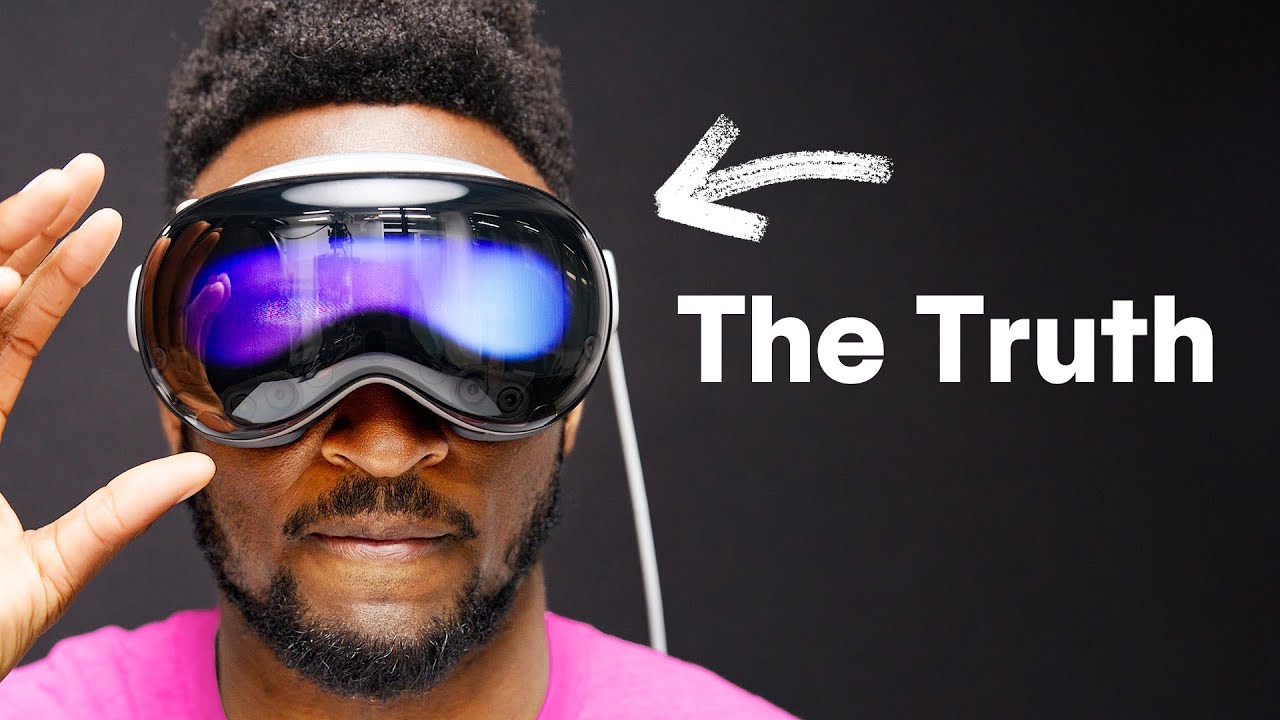
Vision Pro — Hands-On First Impressions ✓ transcribed
YouTube video 27:18
Transcript
  • 00:00 H Okay. I’ve used the new Apple Vision Pro. I had about a 30-minute demo just using this new headset, and I had about a trillion questions — so I tried to ask as many of them as I could of Apple. Without any further ado, let’s jump right in: this is everything you need to know so far about Apple’s new AR/VR headset.
  • 00:38 H So the first question, naturally: what is it? First things first, this is a first-generation device from Apple, which we don’t see very often. It’s an augmented-reality / virtual-reality headset with a bunch of cameras and sensors inside that you strap to your face.
  • 01:18 H It’ll start at $3,500 and go on sale sometime early next year. Fundamentally, this isn’t paired to your iPhone or Mac — by default it’s a standalone computer with an M2 chip, its own Wi-Fi, a roughly 4K micro-OLED display for each eye, speakers above each ear, and a dedicated new R1 chip doing all the real-time processing.
  • 02:10 H So how does it work? We’ve seen VR and AR headsets before — screens inside, sensors outside to detect your room and the controllers in your hands. But with this one, there are no controllers at all. You control it entirely with your hands, your eyes, and your voice.
  • 03:00 H All over the headset there are a ton of sensors — two forward-facing cameras, two downward, two for the sides, infrared illuminators, a LiDAR scanner, a TrueDepth camera — to track what’s around you and your hands. And inside, infrared cameras purely to track your eyes.
  • 03:55 H There’s a setup before you even get the headset: you scan your face with the TrueDepth camera on the iPhone for a custom cutout. You finally put it on, and the most impressive thing about this headset — the most impressive thing — is the eye tracking.
  • 04:40 H I’m not even kidding, the eye tracking is sick. It’s the closest thing to magic I’ve experienced. Any time you move your eyes around the UI, it immediately highlights and selects exactly what you’re looking at, no matter how small. To select, you just touch your fingers together. Look, click. Look, click.
  • 05:35 H When you first set it up there’s a calibration where you look around at a bunch of dots so it learns your eyes. From then on you’re just cruising — sailing through everything by just looking at things. It feels telepathic.
  • 06:25 H Most headsets let you use your hands, but rely on outside sensors tracking controllers for accuracy. Apple’s array does an impressively good job picking up what my hand is doing no matter where it is. I can rest my hand wherever, look at something, and click.
  • 07:15 H There are also text boxes — look at one and a keyboard pops up, or just start talking and it fills in what you say. And there’s Optic ID, basically the fingerprint ID of the headset, because everyone’s eyes are a unique biometric. You log in just by putting it on.
  • 08:10 H Then there are these weird frames where you can see people’s eyes through it. Spoiler: it’s not actually transparent. There’s an OLED screen facing out — a two-way passthrough. A normal VR headset is completely opaque, with a passthrough mode so you can see your environment.
  • 09:00 H Passthrough modes vary — black-and-white, stereo, color. The passthrough on Apple’s headset is the best I’ve ever seen: stereo, color, sharp, real-time. And the eyes you see from the outside are an OLED display showing what your eyes look like to the inside cameras.
  • 10:00 H If they’re doing something fully immersive, it won’t show their eyes — it shows a graphic instead. It’s a bold look. So then, the burning question: what does it actually do? I’m separating this into three categories — computing, content, and connections.
  • 11:00 H I should preface: this is a first-gen product, so right now the only apps are Apple’s, just like the first iPhone. For computing, you can use it as its own computer — web browsing with 4K windows you move around with your hands. It runs a whole new OS, visionOS.
  • 12:00 H I was really impressed with the responsiveness — better than any headset I’ve seen with just your hands. I’d pinch and drag a Safari window, toss it, catch it, resize the corners. And it uses selective rendering based on the eye tracking — sharply rendering only the part you’re looking at.
  • 13:00 H For heavier work — and this is kind of nuts — with the headset on you look at your Mac and it mirrors the Mac’s display as a 4K window. You can connect a Bluetooth keyboard and trackpad and work like it’s an actual Mac, just bigger.
  • 14:00 H Then there’s connection. You can type messages, and there’s FaceTime — people’s windows floating in front of you. But if you’re not holding your phone, what do they see? A 3D-rendered model of you, scanned from your iPhone, that matches your face with the headset’s sensors.
  • 15:00 H I got to try it. It works okay — not as good as looking at a real person. It feels somewhere in between, like Google’s Project Starline — that uncanny-valley, moving-3D-model territory. But last but not least: content. People are going to watch content on this thing.
  • 16:00 H I would pay to watch an NBA game courtside in the headset — the quality is good enough. And even with regular 2D movies, you can sit back and watch as if you’re in a theater for one. There’s a digital crown to dial in more immersion or bring back your real-world surroundings.
  • 17:00 H There’s also a feature to take 3D photos and videos with the headset’s cameras. I did not like this one — I watched a clip of a kid blowing out birthday candles, recorded from a headset. I can’t get the image of a dad at the party with the headset on, walking around recording. It just wasn’t cool.
  • 18:10 H So, the number-one question: is this headset any good? Yes. Some parts I tried are the best I’ve ever seen in any VR headset by a mile — specifically the eye tracking and the hand tracking. The foundational “how do you use it” part is amazing.
  • 19:00 H But there are downsides. Number one: no haptics, because there are no controllers. There was a demo where a butterfly flew out and landed on my finger — the tracking was amazing, but when it landed and I didn’t feel anything, there was that “oh right, this is a VR headset” moment.
  • 20:00 H Number two: it’s heavy. Same way AirPods Max are heavier than plastic headphones — this is metal and glass. Super well built, but I wonder about wearing it longer than the half hour I did. That’s also why the battery isn’t attached — it connects through a cable you keep in your pocket.
  • 21:00 H And that brings up battery life: two hours. Not that great. There’s a USB-C port to plug into the wall for infinite time, but unplugged, two hours — and they showed an ad of people watching a movie, and most movies are over two hours.
  • 22:00 H Then the main thing everyone’s talking about: it’s expensive. $3,500. Is that pricey? Yes, very. But the weird thing with Apple is there’s no direct comp. Several things this headset does, no other headset does — the eye tracking, the hand tracking, FaceTime, looking at your Mac.
  • 23:10 H Even an equivalent headset doing all the same stuff still wouldn’t have the ecosystem. This is something only Apple could pull off. So, bottom line: I got to try it, and I thought it was extremely impressive — but this is not a product for the masses.
  • 24:20 H It has “Pro” in the name. This feels like the series-zero Apple Watch, where it’s up to the early adopters and developers to decide where it goes. Maybe someday there’s a “Vision SE” for $400 that the masses adopt. But right now, this is very much the testing phase.
  • 25:30 H So that’s the Apple Vision Pro. It’s the rich person’s toy and the developer’s muse for right now, but we’ll see how far it goes. It’s coming out next year — not that far off. Really interesting times.
  • 26:30 H This was also part of a huge WWDC keynote, so if you want my recap of the rest, get subscribed. Hit sub, hit like, hang out in the comments. That’s been it for this one — thanks for watching, catch you in the next one. Peace.
AI content from the same recording
Eye tracking, explained 02:16 – 03:02
Passthrough quality, up close 05:12 – 06:08
Virtual FaceTime — first reaction 10:38 – 11:41
The battery-life reality 14:20 – 15:05
Is the price justified? 16:47 – 17:34

Apple Vision Pro: The Ultimate AR/VR Headset With Revolutionary Eye Tracking

I Tried the Vision Pro — Here’s What Nobody Tells You

Experience the Future: A Game-Changing Hands-On With Apple Vision Pro

Unveiling the Pricey Vision Pro: A Luxury Headset for the Elite

The Vision Pro’s Eye Tracking Changes Everything

The Perfect Blend of Style, Comfort, and Cutting-Edge Tech

Is the Vision Pro Worth It? An Honest First Impressions

Hands-on with the Apple Vision Pro — eye tracking, passthrough, virtual FaceTime, battery, and whether the price is actually justified. My honest first impressions after a full day with Apple’s first spatial computer.

Chapters:

00:00 Intro & first impressions

02:16 Eye tracking

05:12 Passthrough quality

10:38 Virtual FaceTime & personas

14:20 Battery life

16:47 Price — is it worth it?

🔔 Subscribe for more hands-on tech.

Eye tracking on the Vision Pro is the first real “whoa” moment in tech in years. You look, it selects. That’s the whole interface.

Virtual FaceTime with a persona avatar is uncanny — convincing enough that you forget, then remember, then forget again.

Two hours of battery and a $3,500 price tag is where the “future” conversation meets reality. Worth it? Depends who you are.

1/

Spent a full day with the Apple Vision Pro. A few things genuinely surprised me — and a couple brought me back to earth. 🧵

2/

Eye tracking is the headline. No controllers, no pointing — you just look and pinch. It’s the part demos can’t prepare you for.

3/

Passthrough is sharp but you can tell it’s cameras. EyeSight is convincing from some angles, uncanny from others.

4/

Then: ~2 hrs of battery and the price. That’s where “the future” meets your wallet. Incredible hardware, early-adopter math.

1. Is eye tracking enough of a leap to define a new computing platform?

2. Does the price tag make sense for what it currently does?

3. How does virtual FaceTime change remote work and connection?

4. What has to improve before this goes mainstream?

5. Where does passthrough AR beat — and lose to — your phone?

[00:00] Intro & putting it on for the first time

[02:16] Eye tracking — the standout interaction

[05:12] Passthrough and EyeSight, up close

[10:38] Virtual FaceTime with personas

[14:20] Battery life and the external pack

[16:47] Price — and who it’s actually for

Apple Vision Proeye trackingspatial computingpassthroughvirtual FaceTimeEyeSightpersonasAR/VR headsetbattery lifeM2 chipmixed realityfirst impressions
Subject

The Vision Pro moment nobody’s ready for

Body

I spent a full day with Apple’s first spatial computer. Three things stood out — and one brought me back to earth.

First, the eye tracking. You look at something and pinch to select. No controllers. It’s the part demos can’t prepare you for.

Second, virtual FaceTime. The persona avatar is uncanny — convincing enough to forget it isn’t real, until it is.

And then the math: ~two hours of battery, $3,500. Incredible hardware, early-adopter pricing. More next week →

As simple as 1, 2, 3

  1. Drop in your video

    Paste a YouTube link or upload the file — Castmagic pulls and transcribes it in minutes.

  2. It generates everything

    Clips, titles, description, tweets, newsletter, and blog — all from the one video, in your voice.

  3. Publish everywhere

    Edit anything in a click, export, and ship to YouTube, X, your newsletter, and your blog.

Try it on your own youtube video

Paste a link or upload a file — get the transcript and everything above in minutes.

Import URL

Paste a link from: YouTube Spotify Apple Podcasts TikTok Reels X Google Drive Vimeo Twitch Reddit Loom Wistia

Upload a recording

Click or drag your audio/video file here

MP3 · WAV · M4A · MP4 — up to 1GB

Built for privacy — your files are never used to train AI.

Questions, answered

Does it work with any YouTube video?

Yes — paste any public YouTube link (or upload the file) and Castmagic transcribes it, then generates the content from the transcript.

Can I edit the clips, titles, and posts?

Everything is editable in your browser, and you can roll back to the original anytime. The generated content is a fast first draft in your voice, not a locked output.

What formats can I export?

Transcripts export as TXT, SRT, VTT, PDF, DOCX, or CSV; the generated content copies straight into YouTube, X, your newsletter tool, or your CMS.

How is this different from a transcription tool?

Transcription is step one. Castmagic takes the transcript and builds the clips, titles, descriptions, posts, and articles on top — the whole repurposing workflow, not just the text.

Castmagic also works for