
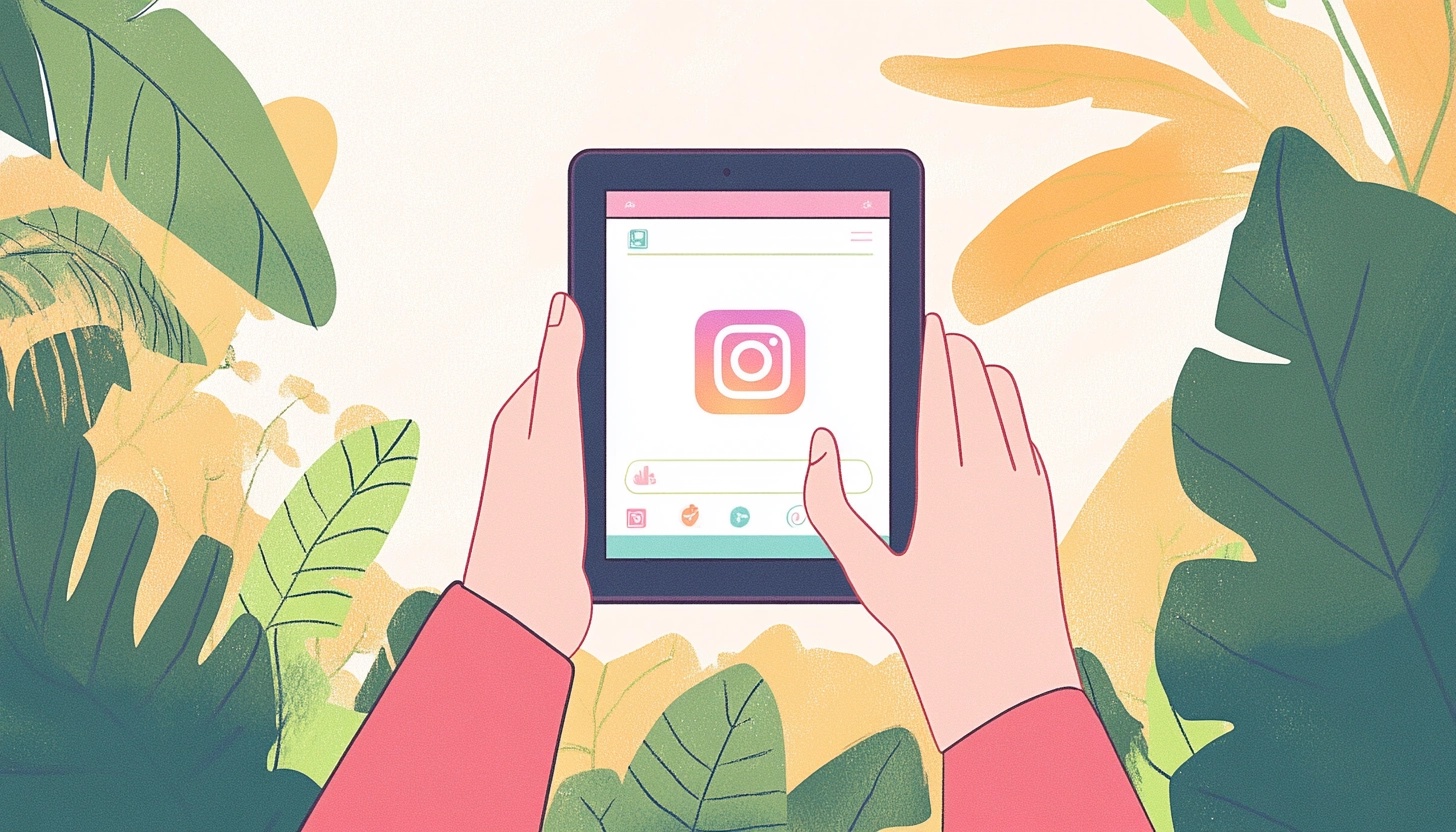
Best Instagram Post Scheduler: Save Time and Grow
Let’s be real here, constantly creating and posting Instagram content can be a full-time job in itself! That's where an Instagram post scheduler comes in - it helps you schedule Instagram posts and stay on top of your game without being landlocked to your computer or phone.
Instagram likes to boost the accounts that are regularly posting. It makes sense from a business standpoint when you think about it - they want people on their platform, and therefore, reward the creators that share more often. By using an Instagram scheduler, you can ensure your feed stays fresh and engaging. This becomes even more helpful when life gets hectic. And let’s be honest, as a business owner, life is bound to get hectic!
Below, we'll dive into the many benefits of using an Instagram post scheduler and share some tips on how to maximize your scheduling strategy. Let’s get to scheduling!
Why Every Content Creator Needs an Instagram Scheduler in Their Toolkit
Like we said, using an Instagram scheduler is your answer to consistency. It’s one of the best tools for social media management. With an Instagram scheduler, here are just a few of the perks you’ll enjoy:
– reclaim your time and sanity
– ensure your page stays relevant
– fuel your professional growth
Reclaim Your Time and Sanity with Instagram Scheduling
One of the biggest advantages of using an Instagram scheduler is the sheer amount of time it saves you. Instead of constantly interrupting your day to post content, you can batch create and schedule your posts in advance. This means you can dedicate focused time to content creation – no more context switching – in other words, more done with less effort!
Plus, scheduling allows you to maintain a consistent posting schedule across time zones. No more setting alarms for odd hours just to hit that optimal posting window!
When is the best time to post to Instagram? It’s going to vary depending on your audience. We recommend keeping an eye on your Instagram Insights (aka your Instagram analytics) to see when your audience is engaging most frequently, and then posting at that time more often.
Schedule Instagram Posts and Ensure Your Page Stays Relevant
When it comes to social media, staying relevant is crucial. You don't want your Instagram account followers forgetting about you because you haven't posted in a while!
An Instagram scheduler helps ensure your page consistently has fresh content, keeping you top of mind with your audience.
And remember, the Instagram algorithm favors accounts that post more often. By maintaining a steady posting cadence, you signal to Instagram that you're an active, engaged user - which can help boost your reach and discoverability.
Fuel Your Professional Growth with Instagram Scheduling
An Instagram post scheduler doesn't just save you time - it can also help you level up professionally. Most scheduling tools come with built-in analytics and reporting features that give you valuable insights into your content performance.
By understanding what resonates with your audience, you can refine your content strategy and make data-driven decisions. Schedulers also usually offer visual content calendars that give you a bird's eye view of your upcoming content. This makes it easier to plan ahead, spot gaps, and ensure you have a well-rounded content mix.
Pro Tip: Switch from a personal Instagram account to a business Instagram account.
This will help you unlock better analytics, and make your page eligible for various ways of making money with your Instagram posts.
Click to learn how to make money from your Instagram account.
Must-Have Features for Your Instagram Scheduling Tool
Not all Instagram schedulers are created equal. When choosing a tool, here are some key features to look for:
The Non-Negotiables
At a minimum, your chosen scheduler should offer direct Instagram API integration. This allows for seamless auto-posting, rather than relying on cumbersome mobile notifications. If you manage multiple Instagram accounts, look for a tool that supports easy account switching and bulk scheduling.
Visual content calendars are another must-have. Being able to see your scheduled carousel posts, Reels, and regular posts laid out on a calendar makes it much easier to strategize and make adjustments as needed.
Bells & Whistles That Make a Difference
While not strictly necessary, there are some advanced features that can really elevate your Instagram scheduling experience:
- Robust Analytics: Look for a scheduler with detailed reporting on key metrics like engagement, reach, and follower growth. Bonus points for tools that benchmark your performance against industry standards.
- Hashtag Management: The right hashtags can dramatically boost your reach. Some Instagram schedulers have built-in hashtag generators and saved hashtag sets to streamline the process.
- Content Preview & Editing: Being able to see exactly how your post will look in the Instagram feed is incredibly helpful for ensuring your visuals are on point. Some tools even offer basic image editing right in the scheduler.
What is the Best Instagram Scheduling Tool?
You have so many options. Just a few of them include, but aren't limited to:
- Hootsuite
- Buffer
- Sociamonials
- Sprout Social
- Instagram's native scheduling within the app
So which of these is the best Instagram scheduling tool? The truth is people like several different tools for varying reasons.
When you're thinking about your own method of social media management, you should try several scheduling tools and try to schedule Instagram posts with all of them. Then, ask yourself, which ones work best for your needs?
For many people, it will come down to two main factors: Price and usability. But, if you're looking for better Instagram analytics, you might choose a scheduling tool that has insights baked in.
Of course, it's important to note that our short list above doesn't even begin to scratch the surface of Instagram scheduling platforms on the market. So ask your friends and colleagues for their best recommendations, read reviews on Capterra and G2, and check out YouTube videos too. You're sure to find an awesome option to schedule Instagram posts.
Crafting an Instagram Content Calendar That Converts
An Instagram post scheduler is only as good as the content you feed it. Here's how to plan a content calendar that drives real results:
Nail Your Content Mix
A well-rounded Instagram feed features a mix of content types. Aim to include a blend of:
- Inspirational or educational carousel posts
- Engaging video content (Reels are all the rage right now!)
- Behind-the-scenes glimpses into your brand
- User-generated content & reposts
- Promotional posts (sprinkled in, not spammed!)
Consider your audience's engagement patterns when deciding your posting frequency and timing. But don't be afraid to experiment - every audience is unique!
Plan Like a Pro
There's no one "right" way to structure your content calendar. Some folks prefer to plan a month in advance, while others take it a week at a time. The key is finding a planning cadence that works for you and allows for some flexibility.
Use your scheduler's content calendar to map out your key posts, then fill in the gaps with more impromptu content. It's also a good idea to have some evergreen backup posts ready to go for those inevitable creative dry spells.
Take Advantage of AI to Create Content Faster
Creating quality Instagram content doesn't have to be a massive time sink. With the power of AI, you can streamline your content creation process and churn out engaging posts in a fraction of the time.
AI-powered tools like Castmagic (more on that in a moment!) can help you repurpose existing long-form content into bite-sized Instagram posts.
Stuck on creating the perfect Instagram caption? AI assistants like copy generators can help you craft compelling captions when you're feeling stuck.
And don't forget about visuals! AI video generators and Instagram image creation tools like DALL-E can help you whip up eye-catching graphics and videos, even if you don't have design or editing skills.
With the help of AI for social media content creation, you can spend less time agonizing over individual posts and more time focusing on your overall Instagram strategy.
Streamline Your Scheduling Workflow with These Tips
Okay, you’ve got your Instagram scheduler, and you’ve got some tools and ideas for creating content. What’s next? Now, it’s time to create a workflow to get the goods loaded already!
Craft Captions That Connect
While visuals may stop the scroll, captions are where the real magic happens. When batch creating posts for your scheduler, take the time to write thoughtful, engaging captions that encourage interaction.
Include strong calls-to-action, pose questions, and don't be afraid to show some personality! And of course, always include relevant hashtags to boost discoverability.
Collaborate Like a Boss
If you work with a team, your Instagram scheduler can be a powerful collaboration tool. Look for features like assignable tasks, approval workflows, and commenting to keep everyone aligned.
Establishing a clear quality control process is crucial. You don't want a typo-ridden post going out on auto-pilot!
Automate to Create: How Castmagic Makes Instagram Scheduling a Breeze
Remember when we mentioned Castmagic earlier? Well, buckle up, because this all-in-one content platform is about to blow your mind!
From Transcript to Instagram Post in a Flash
Castmagic is first and foremost a transcription powerhouse, supporting 60+ languages and speaker diarization. But the real magic in Castmagic is its Content Generation suite.
Imagine being able to upload a long-form video or audio file and have Castmagic automatically generate Instagram-ready reels, complete with captions and hashtag suggestions. That's the power of AI-driven content repurposing!
Repurpose Like a Pro
Got a backlog of long-form audio and/or video content just gathering digital dust? Castmagic can help you breathe new life into old content by identifying quotable moments, extracting key takeaways, and formatting the content for Instagram.
One piece of pillar content could fuel your Instagram feed for weeks! That's a serious time-saver.
The Secrets to Instagram Scheduling Success
Crack the Timing Code
We'll admit there's no universally "perfect" time to post on Instagram, but there are some general guidelines you can follow:
- Weekdays tend to see higher engagement than weekends
- The hours before and after typical work days often see spikes in activity
- Experiment with posting times and use your analytics to identify when your audience is most active
The key is finding a posting schedule that works for you and your audience. Don't be afraid to make adjustments as you go!
Pro Tip: Pick a tool that makes it easy to move things around when necessary.
Life happens, and sometimes you may need to pivot your content plan on short notice. Most Instagram schedulers allow you to easily edit or delete scheduled posts if needed.
Quality Over Quantity, Always
It's better to post one high-quality, thoughtful post than to churn out mediocre content just for the sake of posting. Before scheduling a post, run through a quick quality checklist:
- Is the image or video visually appealing and on-brand?
- Is the caption error-free, engaging, and includes a call-to-action?
- Are the hashtags relevant and not spammy?
- Does the post add value for your audience?
Measure, Adjust, Repeat: Optimizing Your Instagram Strategy
Scheduling your Instagram posts is just the first step. To truly thrive on this visual platform, you need to continuously measure your performance and make data-driven adjustments.
Metrics That Matter
While vanity metrics like likes and follower count are fun to track, they don't always paint a complete picture of your Instagram success. Some key metrics to focus on include:
- Reach: How many unique accounts are seeing your Instagram posts?
- Engagement Rate: What percentage of your followers are actively interacting with your content through likes, comments, shares, and saves?
- Website Clicks/Traffic: Are your Instagram efforts driving tangible results for your business?
- Instagram Stories Views: Are your followers watching your Stories and engaging with any interactive elements (polls, questions, etc.)?
Test, Iterate, Optimize
One of the beauties of Instagram scheduling is that it frees up your time to focus on strategy and optimization.
- Experiment with different content types (carousels, Reels, Stories, etc...), posting times, and hashtags to see what yields the best results.
- Use A/B testing to pit different caption or visual styles against each other.
- Keep a close eye on your analytics to spot trends and opportunities.
- Don't be afraid to retire underperforming content types or time slots and try something new!
The Instagram algorithm is always evolving, so what worked last month may not work today. The key is staying nimble and continually iterating on your strategy.
Ready to Simplify Your Social Life? Get Started with Instagram Scheduling Today!
Getting started with Instagram scheduling is easier than you might think. Most tools offer free trials, so you can test drive a few options before committing.
If you're ready to take your Instagram game to the next level, we highly recommend checking out Castmagic. With its powerful transcription capabilities and content generation suite of tools, it's a content repurposing powerhouse that can dramatically streamline your Instagram strategy.
Remember, consistency is key on Instagram. By batch scheduling your posts in advance, you free up more time to engage with your audience, analyze your performance, and optimize your strategy. Plus, you'll never have to frantically scramble to post again!
So what are you waiting for? Pick a scheduling tool, map out your content calendar, and start posting with confidence.
And, while you're trying all these fancy new tools, be sure to grab a free trial of Castmagic here!
More blogs like this

Best AI Newsletter Generators to Create Emails
AI newsletter generators are software platforms that use artificial intelligence to automate and enhance every aspect of email newsletter creation. We're talking about tools that can draft compelling copy, design eye-catching layouts, personalize content for individual subscribers, and optimize send times. They can do all of this with minimal human intervention!

Can You Screen Record FaceTime Videos? What You Need to Know
People record FaceTime calls for many reasons: preserving family memories, documenting work meetings, creating tutorials, or saving important conversations. Whatever your purpose for wanting to record FaceTime audio, this guide will walk you through what you need to know.
Fireflies.ai Pricing (2026): Free Plan, Pro vs Business, and Is It Worth It?
Fireflies.ai pricing explained: what the free plan really includes, what Pro, Business and Enterprise cost per seat monthly vs annually, the storage caps that catch people out, and whether it's worth it.

How to Generate Great Podcast Titles Fast Using AI Tools
Learning how to generate podcast titles doesn't have to be a months-long creative struggle anymore. We're living in an era where artificial intelligence can serve as our brainstorming partner, offering fresh perspectives and creative combinations we might never have considered on our own.Read along as we explore how to harness these powerful tools to create a podcast name that's memorable, discoverable, and perfectly aligned with your brand.

How to Use AI Podcast Show Notes to Grow Your Show
What should take 30 minutes somehow stretches into two hours as you struggle to capture the essence of your conversation, identify key timestamps, and craft something that will actually help people discover your show. Sound familiar? Here's the thing though, search engines can't listen to your audio content. They rely entirely on text to understand what your episodes are about.

Best Generative AI Platforms: Features That Set Them Apart (And Why Castmagic Leads for Content Creators)
In this guide, we're exploring what truly separates exceptional platforms from adequate ones, examining the features that matter most, and equipping you with the knowledge to use AI effectively for your specific needs. And if you're a content creator, podcaster, YouTuber, or marketer working with audio and video, you'll discover why Castmagic has emerged as the superior choice.

Best AI Blog Post Generator: Use AI to Create Content Fast
Whether you're a solo blogger trying to scale your content operation or part of a marketing team looking to boost productivity, AI tools are changing the game. Let's dive in and explore how these innovative solutions can transform your content strategy!
OpusClip Pricing 2026: Credits, Free Plan & Every Tier Explained
OpusClip pricing explained: how credits actually work (1 credit = 1 minute of uploaded video), what the free plan really includes, what Starter and Pro cost, and whether it's worth it.

How to Record Google Meet: Save and Share Your Calls
In this guide, we'll walk you through everything you need to know about recording Google Meet calls—from understanding requirements and permissions to mastering the recording process on different devices and maximizing the value of your recordings!