
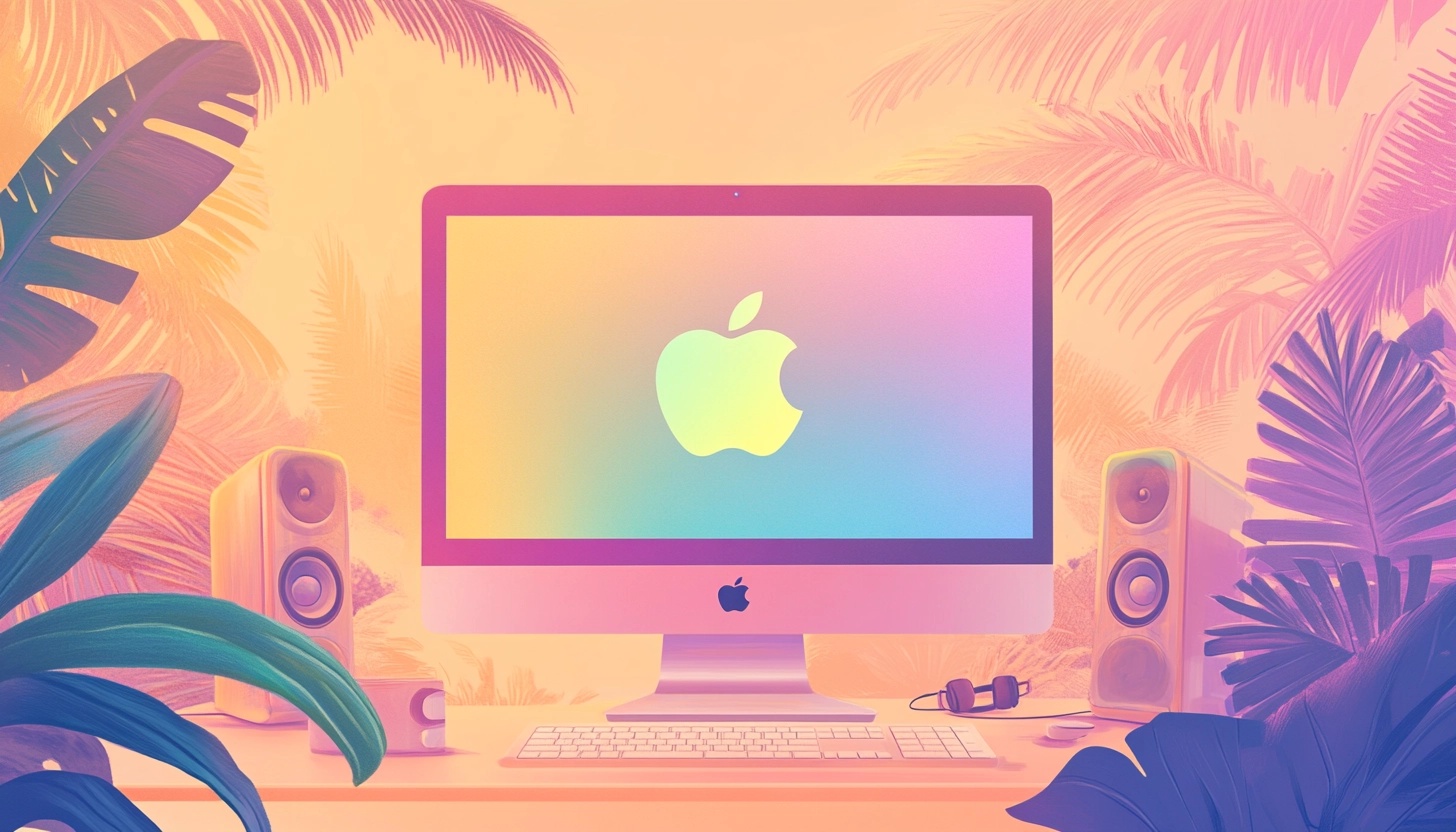
Best Podcast Recording Software for Mac Users
Creating a quality podcast recording requires more than just a great voice and compelling content. You need the right software to capture that perfect sound. For Mac users, finding the ideal podcasting software means navigating through options specifically designed to work seamlessly with Apple's ecosystem.
Whether you're recording your first episode or looking to upgrade your current setup, we understand the importance of finding mac podcasting software that matches your specific needs. Lots of podcasters use Mac devices for their productions – and for good reason! The intuitive interface and robust performance make Mac computers a podcaster's dream.
That’s why we’re walking you through everything from free built-in options like GarageBand to professional-grade solutions used by top podcasters around the world below. Let's dive into the world of Mac podcast recording and find the perfect software to bring your voice to the masses!
Why Mac-Specific Podcasting Software Matters
Mac users enjoy certain advantages when it comes to podcast production. Apple's computers are renowned for their audio processing capabilities and seamless integration between hardware and software. This is why choosing mac podcasting software specifically optimized for this ecosystem can significantly enhance your workflow.
Mac-specific podcast recording software takes full advantage of your computer's architecture. These programs are designed to work harmoniously with macOS, resulting in better performance, fewer crashes, and more efficient use of system resources. For podcasters who value reliability and consistency in their recording process for their audio files, this optimization is crucial!
Another major benefit is the integration with other Apple products and services. Many mac podcasting solutions can directly sync with your iPhone or iPad, allowing you to record on the go and continue editing on your main device. This ecosystem connectivity creates a seamless experience that Windows alternatives often can't match.
Performance considerations are also important when processing audio. Mac-optimized software typically runs more efficiently, allowing for smoother recording and editing even during complex productions. With dedicated mac podcasting software, you'll experience fewer lags and better real-time performance when recording multiple tracks or applying effects.
Essential Features to Look for in Mac Podcasting Software
Before diving into our specific podcast recording and editing software recommendations, let's discuss what features make for excellent mac podcasting software. Understanding these key elements will help you make an informed decision based on your unique needs.
Multi-track recording and editing capabilities stand at the top of our must-have list. This feature allows you to record different audio sources simultaneously – perfect for interview-style podcasts or shows with multiple hosts. Multi-track editing gives you granular control over each voice recorded on microphone, making it easier to achieve professional-quality results.
Audio enhancement tools are another crucial component. Look for software that offers noise reduction, equalization, compression, and normalization features. These tools help clean up your recordings and ensure consistent audio levels throughout your episodes. The best mac podcasting software will make these adjustments intuitive enough for beginners while offering depth for experienced users.
User interface matters tremendously, especially if you're new to audio production. Some podcasting applications offer simplified workflows designed specifically for spoken-word content, while others provide comprehensive digital audio workstations with steeper learning curves. Consider how much time you're willing to invest in learning your chosen MacOS software.
Export options are often overlooked but critically important. Your mac podcasting software should export to industry-standard formats like MP3 and WAV, with control over bitrate and sample rate. Some advanced options also offer direct publishing to podcast hosting platforms – a fantastic time-saver for busy creators!
Free Mac Podcasting Software Options
Not every software that is available for MacOS users has a price tag attached to it. But, should you opt for paid software in lieu of free software? Let’s explore the best podcast options that are free below.
GarageBand: Apple's Built-in Powerhouse
GarageBand stands as the quintessential starting point for Mac podcasters! This free application comes pre-installed on all Mac computers, making it immediately accessible without additional downloads or purchases. For beginners looking to dip their toes into podcasting waters, GarageBand offers an impressive array of features without the intimidation factor of more complex solutions.
Setting up a podcast recording environment in GarageBand is refreshingly straightforward. The recording and editing software includes podcast-specific templates that automatically configure the workspace for spoken-word recording. We love how simple it is to create multiple tracks for different hosts or segments, and the clean interface makes navigation intuitive even for first-time users.
GarageBand also shines in its audio enhancement capabilities. The software includes solid noise reduction tools, compressors, and equalizers that help your voice sound crisp and professional. You can easily trim segments, rearrange sections, and add music beds or sound effects from Apple's extensive royalty-free library – all without spending a dime!
While GarageBand certainly has limitations for professional podcasters (like less precise editing controls and fewer advanced effects), many successful shows have launched using nothing more than this humble built-in application. If you're just starting out or working with straightforward single-voice episodes, GarageBand may be all the mac podcasting software you need.
Audacity: The Versatile Open-Source Alternative
Audacity represents another excellent free option for MacOS users, though with a slightly different approach than GarageBand. As an open-source application, Audacity is continually improved by a community of developers passionate about audio production, resulting in robust capabilities that challenge many paid alternatives.
Installing Audacity on your Mac is painless, requiring a simple download from the official website. While the interface might initially appear less polished than GarageBand, many podcasters find Audacity's layout more functional for podcast editing. The waveform visualization makes precise cuts easier, and the extensive editing tools provide surprising depth for a free application.
Where Audacity truly excels is in its plugin ecosystem. The software supports numerous free extensions that add functionality like advanced noise reduction, dynamic processing, and specialized effects. These plugins allow you to gradually expand Audacity's capabilities as you grow more comfortable with podcast production, without forcing you to switch to entirely new software.
Audacity also offers exceptional export flexibility, supporting various formats and quality settings to match your hosting platform's requirements. While it doesn't feature direct publishing to podcast services, its strong editing capabilities and zero cost make it a compelling choice for budget-conscious podcasters who don't mind spending a little extra time learning the ropes.
Premium Mac Podcasting Software Solutions: Elevating Your Production
When you're ready to invest in your podcasting journey, several premium options offer enhanced capabilities that can dramatically improve your workflow and output quality. These paid mac podcasting software solutions range from affordable subscriptions to professional-grade workstations.
Adobe Audition
Adobe Audition stands as a premier choice for serious podcasters. At $22.99 monthly, this professional digital audio workstation offers exceptional noise reduction tools, precise multi-track editing, and restoration features that can salvage even problematic recordings. The spectral frequency display allows visual editing of specific sounds – perfect for removing unwanted background noises recorded on your microphone while preserving voice quality. Adobe Audition's learning curve is steeper than GarageBand's for audio editing. However, the powerful capabilities justify the investment for podcasters looking to achieve broadcast-quality results.
Hindenburg Journalist
Hindenburg Journalist podcast editing software provides a refreshing alternative specifically designed for spoken-word content. Unlike general-purpose audio editors, Hindenburg focuses exclusively on the podcast and radio production workflow. We appreciate how it automatically adjusts levels, applies appropriate EQ for voice, and makes the entire editing process more intuitive for non-technical users. Starting at ~ $17 monthly for the Pro version, it occupies a sweet spot between affordability and professional features. The voice profiler tool that automatically optimizes different speakers' audio characteristics is particularly impressive!
Logic Pro
Logic Pro represents Apple's professional-grade audio workstation. While primarily designed for music production, many podcasters find its robust editing capabilities and seamless MacOS integration worth the $199.99 one-time purchase. Logic excels in handling complex productions with multiple elements, and the recent updates supporting Dolby Atmos allow for immersive spatial audio podcasts – a cutting-edge feature for forward-thinking creators.
Remote Recording Solutions for Mac Podcasters
The world of podcasting increasingly involves remote interviews and co-hosting arrangements, making specialized remote recording software invaluable for modern producers. These solutions solve the unique challenges of capturing high-quality audio from multiple locations.
Riverside stands out as a premier remote recording platform compatible with Mac. What makes Riverside exceptional is its local recording technology – each participant's audio and video are recorded directly on their device rather than streaming over the internet. This approach prevents quality loss from connection issues, resulting in crystal-clear recordings regardless of internet stability. The platform supports up to 4K video and 48kHz audio recording, with separate tracks for each participant that make editing a breeze.
Zencastr offers another excellent Mac-compatible solution for remote podcast recording. Its browser-based interface requires no downloads for guests, making it particularly convenient for interviewing people unfamiliar with podcasting technology. Zencastr's automatic post-production features help normalize audio levels and improve overall sound quality without manual editing.
Squadcast provides yet another strong option with its focus on video podcasting. For Mac users who want to capture both audio and video for their remote interviews, Squadcast's 4K recording capabilities and intuitive interface make it a compelling choice. The platform's innovative "green room" feature allows hosts to check guests' audio and video quality before recording begins – a fantastic preventative measure against technical issues.
All-in-One Podcast Production Platforms for Mac
For podcasters seeking streamlined workflows from recording to publishing, all-in-one platforms offer compelling advantages. These integrated solutions combine recording, editing, and distribution tools in a single package.
Adobe Podcast represents the cutting edge of all-in-one podcast production. This innovative mac podcasting software transcribes your audio as you record, allowing you to edit your podcast by editing the text – simply delete words in the transcript, and the corresponding audio disappears! For Mac users who find traditional audio editing intimidating, this approach feels revolutionary. The platform also includes collaborative features, making it perfect for podcast teams working remotely.
Alitu takes a different approach, focusing on simplicity and automation. This web-based platform works perfectly on Mac browsers and essentially automates the podcast production process. Upload your raw recording, and Alitu handles noise reduction, leveling, and adding intros/outros automatically. While it offers less manual control than traditional editors, its convenience makes it perfect for podcasters who want professional results without technical knowledge.
Choosing the Right Software Based on Your Podcasting Needs
With so many excellent options available, selecting the right mac podcasting software ultimately depends on your specific situation and goals. We've found that considering a few key factors can help narrow down your choices.
Your podcast format plays a crucial role in determining software needs. Solo podcasters with straightforward episodes might find GarageBand or Audacity perfectly adequate, while interview-heavy shows benefit from remote recording solutions like Riverside or Zencastr. Shows with complex production elements like sound design and music beds might require the advanced capabilities of Logic Pro or Adobe Audition.
Budget considerations naturally influence your decision. If you're just starting out or podcasting as a hobby, free options like GarageBand provide everything needed to produce quality content. As your show grows or monetizes, reinvesting in premium software can enhance quality and efficiency. Many paid options offer free trials, allowing you to test capabilities before committing financially.
Technical experience also matters significantly. If you're new to audio production, software with intuitive interfaces and simplified workflows will help you get started without frustration. As you gain experience, you might appreciate the additional control and precision offered by professional-grade applications, even if they require a steeper learning curve.
Future-proofing your podcast setup requires considering where your show might go. If you envision eventually incorporating video, switching to a multi-host format, or implementing complex production techniques, choosing software that can grow with you prevents disruptive transitions later. Many podcasters start with accessible options like GarageBand and gradually transition to more powerful tools as their needs evolve.
Beyond Recording: Maximizing Your Podcast with Castmagic
After selecting the perfect Mac podcasting software and recording your episode, the real work of content distribution begins. This is where Castmagic shines as an all-in-one transcription and AI-content platform that transforms your podcast recordings into multiple valuable assets with minimal effort.
The Perfect Companion for Mac Podcasters
Castmagic works by taking your audio file and automatically transcribing it with high accuracy, removing filler words, and splitting content by speakers. From there, its AI engine generates a variety of content assets customized to your specific needs. For podcast creators, this means you can quickly transform a single episode into:
- Podcast show notes and timestamps
- Blog articles and long-form content
- Email newsletters
- Social media posts for platforms like LinkedIn, Twitter, and Instagram
- Quotes and highlight clips
- YouTube descriptions
Ideal for iOS Users
As a Mac podcaster, we think you'll appreciate Castmagic's iOS app that puts the power of content creation in your pocket. You can record meetings, voice notes, and even podcast episodes on the go, with everything instantly syncing to your Castmagic workspace. This creates a seamless ecosystem between your Mac recording setup and mobile content workflow.
Streamlined Podcast Workflow
The beauty of incorporating Castmagic into your podcast production is that it automates the tedious post-production tasks that often slow down your publishing schedule. Rather than spending hours manually transcribing episodes or creating multiple content pieces for different platforms, Castmagic handles this automatically, allowing you to focus on creating amazing content rather than wrestling with technical hurdles.
Your Next Steps in Podcasting
Selecting the right mac podcasting software is just the beginning of your content creation journey. By pairing your chosen recording software with a powerful content repurposing tool like Castmagic, you can dramatically increase the reach and impact of every episode you create.
Why not start with Castmagic's free trial to see how it can transform your podcast workflow? Click here to get started today!
More blogs like this

Best AI Social Media Post Generator: Improve Your Content Creation
Whether you're managing accounts for a trendy coffee shop or a global enterprise, AI tools have evolved from simple schedulers into intelligent creative partners that understand your brand voice and audience preferences. Let's dive into everything you need to know about AI social media post generators. We'll explore what makes these tools indispensable, how to choose the right one for your needs, and how to maximize their potential without sacrificing authenticity.

Best Generative AI Platforms: Features That Set Them Apart (And Why Castmagic Leads for Content Creators)
In this guide, we're exploring what truly separates exceptional platforms from adequate ones, examining the features that matter most, and equipping you with the knowledge to use AI effectively for your specific needs. And if you're a content creator, podcaster, YouTuber, or marketer working with audio and video, you'll discover why Castmagic has emerged as the superior choice.

Guide to Creating a Podcast App: Features You Need
Whether you're targeting content creators looking for better monetization tools or audiences seeking personalized recommendations, the features you choose will make or break your app's success. In this quick and easy guide, we're diving deep into everything you need to know about creating a podcast app that stands out today. From must-have functionalities to advanced features that'll set you apart, we've got you covered!

How to Subscribe to a Podcast: Never Miss an Episode
We're going to walk you through everything you need to know about podcast subscriptions, from understanding what they really mean to mastering the process on all major platforms. Whether you're using Apple Podcasts, Spotify, YouTube Podcasts (formerly Google Podcasts), or another podcast app, we've got you covered!
Fireflies.ai Pricing (2026): Free Plan, Pro vs Business, and Is It Worth It?
Fireflies.ai pricing explained: what the free plan really includes, what Pro, Business and Enterprise cost per seat monthly vs annually, the storage caps that catch people out, and whether it's worth it.

Best Marketing Tools for Small Businesses in 2026
We've seen countless small businesses transform their marketing efforts simply by choosing smart, efficient solutions that work for their specific needs. The truth is, with the best marketing tools for small business success, you can automate repetitive tasks, reach more customers, and finally get that marketing strategy off your never-ending to-do list.
6 Best OpusClip Alternatives in 2026 (Free and Paid)
Looking for an OpusClip alternative? Here are the 6 best, sorted by the job you need done: clips plus full content from one upload, cheaper clipping, captions, or hands-on editing.
Riverside Pricing (2026): Free Plan, Pro vs Grow, and Is It Worth It?
Riverside pricing explained: what the free plan includes, what Pro, Grow, Webinar and Business cost monthly vs annually, the recording-hour limits, and whether it's worth it.

How to Use AI for Small Business Marketing: Make More Money
Because of AI programs, it’s easier than ever to level up your business. Whether you want to increase your output of blog posts, ramp up your social media efforts, or finally launch your email newsletter, AI software is giving you the shortcut to getting more things done in less time. Want in on this? Keep reading because in this post we’re breaking down how to use AI for small business marketing so you can make more money for your efforts.