Generador de artículos de IA
Escribir artículos de alta calidad que cautiven a tu audiencia e impulsen tu SEO puede ser una tarea abrumadora. El proceso de generar contenido atractivo y bien escrito requiere tiempo, esfuerzo y creatividad. Ahí es donde entra en juego nuestro generador de artículos basado en inteligencia artificial. Esta herramienta de inteligencia artificial aprovecha los modelos lingüísticos avanzados para agilizar la creación de contenido, lo que le permite centrarse en otros aspectos de su negocio. Ya seas un creador de contenido, un YouTuber, un orador o un especialista en marketing digital, nuestro generador simplifica todo el proceso de escritura, ahorrándote tiempo y ayudándote a producir contenido refinado sin esfuerzo.

Escritor de artículos instantáneo con IA
La creación de contenido escrito ya no tiene por qué ser un proceso lento y manual. Mediante el uso de la inteligencia artificial, nuestro generador le ayuda a generar artículos de forma rápida y eficiente, adaptados a sus necesidades específicas. Ya sea que necesites una entrada de blog, una actualización en las redes sociales o un artículo detallado, nuestro redactor de IA puede encargarse de todo. Solo tienes que subir una grabación de vídeo o audio y nuestra herramienta la transcribirá al instante y generará el artículo en función de la rapidez y el tono que solicites, con palabras clave optimizadas para el SEO y un esquema claro.
Uno de los temores que puede tener con el contenido generado por IA es que no suene tan auténtico. Con Castmagic, también puedes ajustar el tono para que se adapte a la voz de tu marca, ya sea que necesites un tono formal para los artículos de negocios o un estilo más conversacional para las publicaciones de blog. Con nuestro redactor de inteligencia artificial, puedes transformar tu estrategia de contenido, atraer más tráfico a tu sitio y aumentar la participación de tu audiencia.
El contenido generado no solo tiene que ver con la velocidad, sino con la calidad. Nuestro asistente de redacción con IA agiliza la creación de contenido con artículos, publicaciones en redes sociales con emojis relevantes y cualquier otro contenido que puedas necesitar para maximizar la participación. Ya sea que estés escribiendo artículos para un sitio web o creando publicaciones para redes sociales, nuestra herramienta garantiza que tu contenido destaque en un espacio digital abarrotado.
We Power The Best Creators








How To Use Castmagic for Generador de artículos de IA

Upload Audio or Video File
Click on ‘Upload’ and select your audio or video file that you'd like to add to Castmagic. You can also drag and drop your file into the box, or import directly with your RSS link.

Transcribe Media
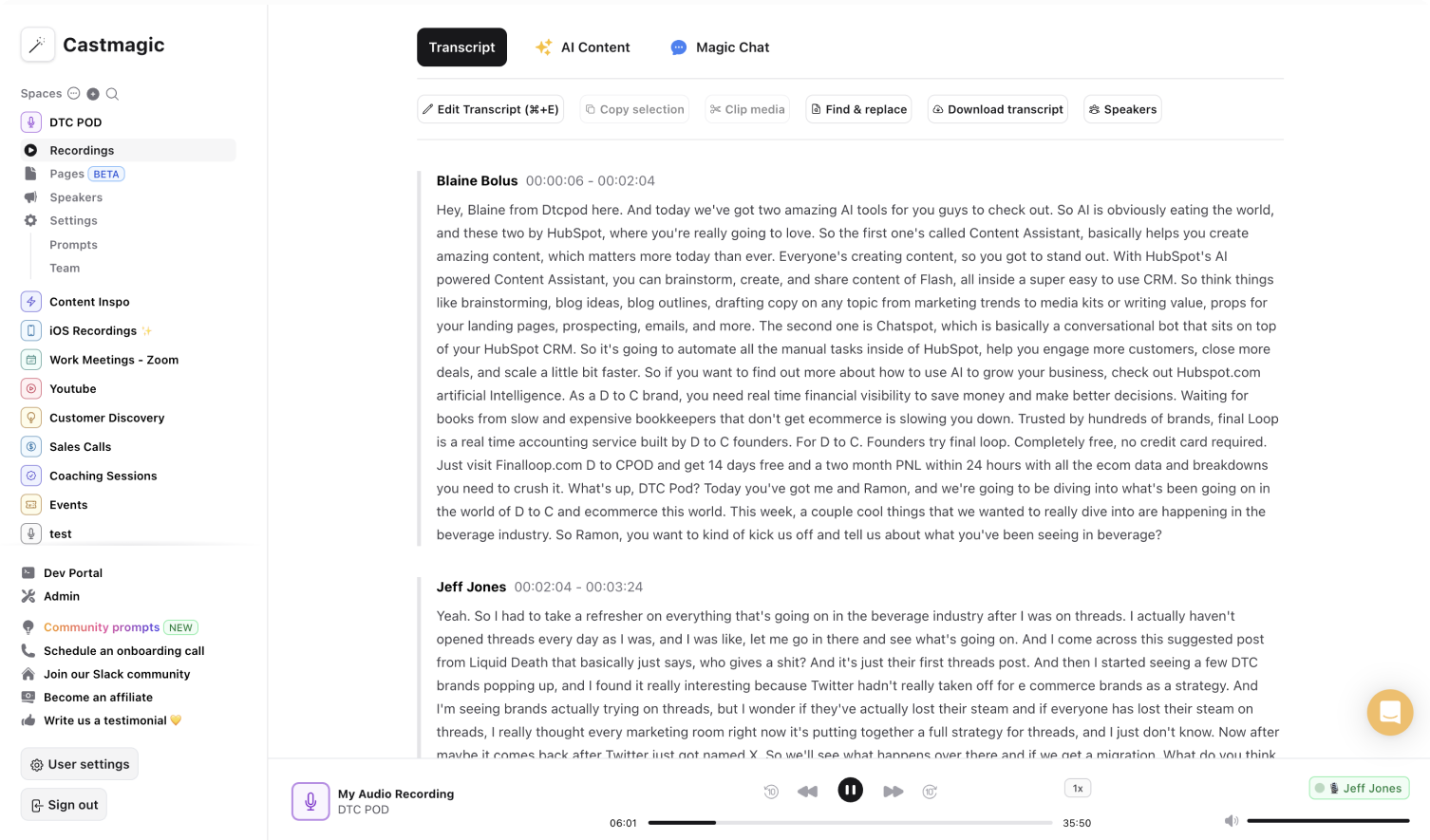
Label your file name, and hit 'Save Recording'’. Castmagic will automatically transcribe your file. As soon as the file is done, you'll be able to label your speakers or make any edits directly in the podcast transcript.

Download Your Transcript
While on the Transcript page, click on "download transcript" button. That's it! You'll be able to select from multiple file formats including text, SRT, VTT, CSV, and custom formats.
Edit, Optimize, and Publish with Ease
Once the AI-generated content is read, our editor allows you to make adjustments to ensure the text aligns perfectly with your brand's voice. You can easily edit, rephrase, or refine any part of the article, giving you complete control over the final product. With content generated from your audio or video recording, you can be confident that the content is relevant, original, and ready to be published.
Generador de artículos de IA & ContentTrim and Export Your Favorite Audio & Video Clips From Your Recordings
Select your favorite parts from your recording and turn them into audio or video highlights. No extra work is necessary to transform the best parts into diverse content forms. Increase your audience reach with accessible content forms. You may have come for LinkedIn posts, but we promise you will leave with more.
Clips & Generador de artículos de IACastmagic For iOS, Record Content On the Go
Put Castmagic in your pocket. Tap to record on the go. Your recordings instantly sync with your Castmagic workspace. Capture content ideas, video sounds, or anything for your next LinkedIn post without all your tech gear. With Castmagic, recordings aren't confined to start behind the camera in the studio. Get content anytime and anywhere.
Generador de artículos de IA with iOSEndless Content Assets In Seconds
Automate all the tedious work that comes in editing and copywriting and say hello to your new best content editor.
Integrate Content From All Your Favorite Platforms
 RSS
RSS  Zoom
Zoom  Google Drive
  Wistia
  Descript
  YouTube
  Vimeo
Vimeo  TikTok
  Instagram
  Twitch
  Loom
Loom  Zapier
 Professional Creators Love Castmagic
Castmagic is just a great product. When it came to creating content around The Calum Johnson Show it made our life a lot easier. Highly recommend

Frequently Asked Questions
Last updated June 2026 by the Castmagic team
Who is Castmagic for?
Castmagic is for podcast hosts, video streamers, or long form content creators that want to get more mileage out of their content. We make it easy to instantly turn your long form unstructured content into ready-to-use copy for shownotes, highlight clips, summaries, blogs, social posts, newsletters, and more.
How does it work?
Castmagic uses the best in class AI to turn your long form audio directly into the exact content types you need for ready to post creative.
Is there a free trial?
Yes you are entitled to a free trial to play with a few episodes and see how it works in action. If you like what Castmagic can do, we have several plans to choose from.
What languages are supported?
Castmagic transcribes in 60+ languages with automatic language detection, so you can chat with episodes recorded in most major languages, not just English.
How Do I Add Subtitles to IG Reel?
To add subtitles, you can use a tool like Castmagic to automatically transcribe the audio from your video. Once transcribed, you can easily add the text as captions to your reel.
How to get text from Instagram reels?
Simply upload the reel in audio or video format, and we will automatically convert the audio into text.
How can I make my Instagram Reels accessible for all viewers?
To make your Instagram Reels accessible for all viewers, consider adding closed captions or subtitles to convey dialogue or audio content. Additionally, use descriptive alt text when posting images to ensure accessibility for visually impaired audiences. The easiest to do this is to use a transcription service.
Discover more usecases
Explore The Castmagic Blog…

Cómo convertirse en un creador de contenido: una guía paso a paso

Las mejores herramientas de marketing para pequeñas empresas en 2026

Cómo hacer una voz en off: consejos para principiantes para un sonido profesional

¿Puedes grabar videos de FaceTime en pantalla? Lo que necesita saber

Cómo grabar audio en un iPhone: pasos sencillos para principiantes

Estrategias de marketing de podcasts: consejos comprobados para 2026

Monetizar un podcast: qué hacen los mejores creadores para ganar dinero

Cómo utilizar plataformas legítimas para ganar dinero en línea fácilmente