AI Follow Up Email Generator
Maximize discovery calls and strategize next steps in the sales process without replaying the discovery calls. Castmagic transcribes your conversations, extracts valuable insight, and creates valuable content: from follow up emails, to cold email templates, conversation summaries, next steps, call to action, subject line recommendations, and more outreach materials.
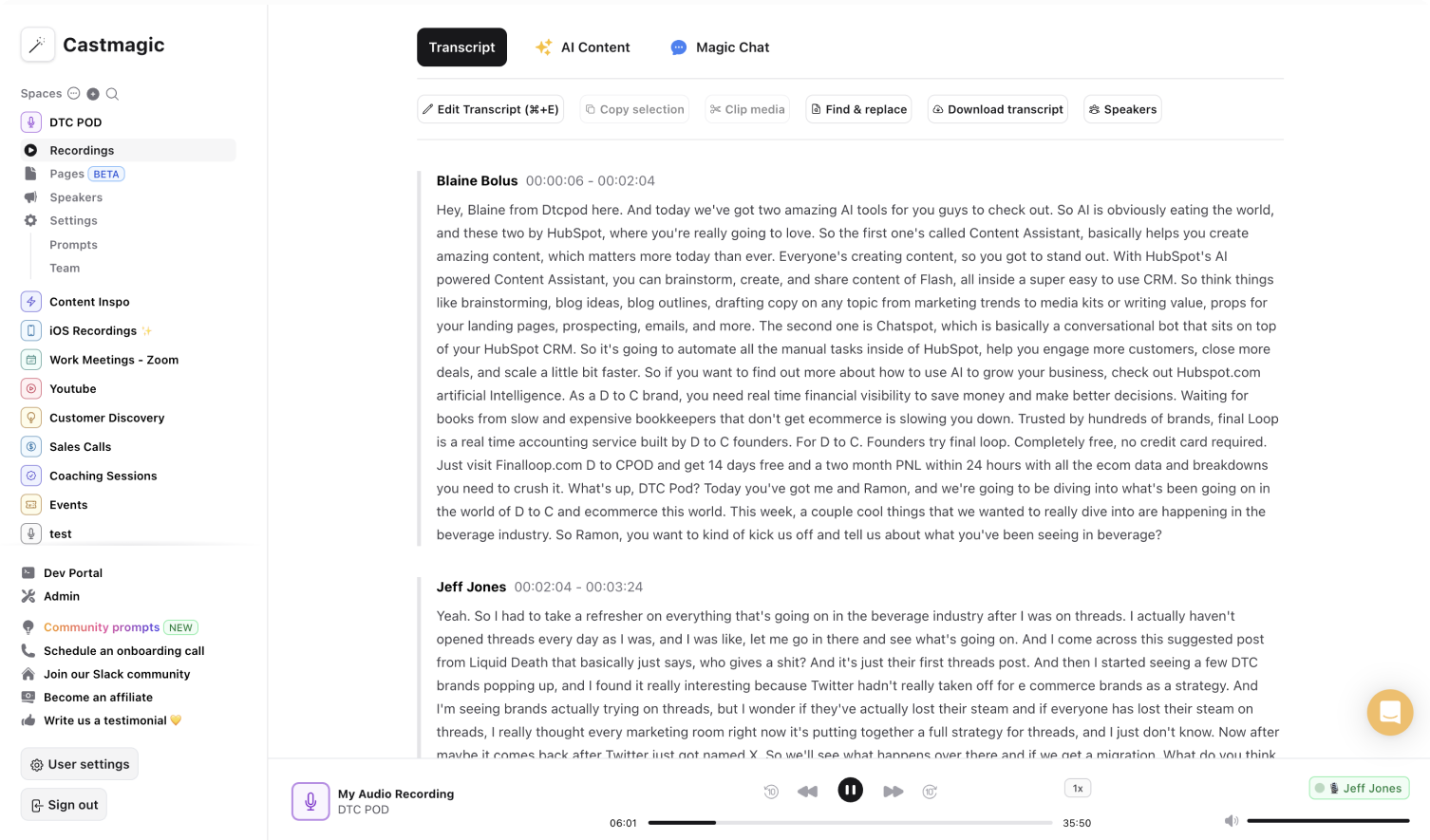

Write Follow Up Emails Instantly with AI-Transcription
Discovery call to action is invaluable for business success. Transforming the prospect into a customer requires intentional outreach. This process can be time-consuming when you curate outreach content that is personalized for every prospect and conversation. You can rely on email templates for cold emails or follow up emails. However, every recipient and conversation is different. This means the email template you have may not effectively drive call to action.
Our goal is optimize the sales process with a streamlined solution to secure those prospects into your customer base. All you have to do is upload a video or audio recording of the initial conversation. We transcribe the phone call or video conversation, which makes it easy to extract key insights and build relevant outreach content. Access the AI-powered content library with follow up email templates, subject line recommendations, phone call scripts, email examples, reminder drafts, and more. Fill your prospect's inbox with personalized follow up emails that work.
Discovery phone calls and conversations are time-consuming. Automate the process to uncover insights and highlights from the conversation to personalize the follow up email. Leave the manual process of frantic note-taking during the phone call or replaying the conversation to draft effective follow up emails after. Accelerate your sales process with a tool that utilizes the context and prospect details to build a content library of materials to send.
We Power The Best Creators








How To Use Castmagic for AI Follow Up Email Generator

Upload Audio or Video File of Your Discovery Phone Call
Click on ‘Upload’ and select your audio or video file that you'd like to add to Castmagic. You can also drag and drop your file into the box or import your file with Zapier if you record on Zoom or Google Meets.

Transcribe Media
Label your file name, and hit 'Save Recording'’. Castmagic will automatically transcribe your file. As soon as the file is done, you'll be able to label your speakers or make any edits directly in the transcript.

Create Follow Up Emails
While on the Transcript page, click on "download transcript" button. That's it! You'll be able to select from multiple file formats including text, SRT, VTT, CSV, and custom formats. Use the transcripts to create diverse content like follow up emails to convert the prospect into a customer.
Draft Personalized Outreach for Every Prospect
Maximize the first phone call by creating transcriptions that uncover detailed prospect insights and call to actions. Castmagic saves your company time and money with a streamlined solution to retain prospects and optimize the sales process. You don't need to dig through your email templates and subject line templates to draft a cold email. You don't even need to spend hours deciphering your call notes to highlight key points to personalize the follow up email. Personalize outreach efficiently and painlessly to drive more prospects into the sales cycle.
AI Follow Up Email Generator & ContentExport Your Favorite Highlights From Discovery Conversations
Follow up emails aren't limited to an intriguing subject line and next steps. Include your favorite conversation parts into the follow up email to indicate how well your product can solve the prospect's problem. Transform conversations into audio or video highlights to demonstrate the product value without being too pushy.
Clips & AI Follow Up Email GeneratorCastmagic For iOS, Record Conversations On The Go
Put Castmagic in your pocket. Tap to record scheduled and unscheduled conversations, anytime and anywhere. Don't limit customer discovery to the screen, phone call, or office. With Castmagic, every encounter can lead to a prospect and follow up email.
AI Follow Up Email Generator with iOSEndless Content Assets In Seconds
Automate all the tedious work that comes in editing and copywriting and say hello to your new best content editor.
Integrate Content From All Your Favorite Platforms
 RSS
RSS  Zoom
Zoom  Google Drive
  Wistia
  Descript
  YouTube
  Vimeo
Vimeo  TikTok
  Instagram
  Twitch
  Loom
Loom  Zapier
 Professional Creators Love Castmagic
Castmagic is just a great product. When it came to creating content around The Calum Johnson Show it made our life a lot easier. Highly recommend

Frequently Asked Questions
Last updated June 2026 by the Castmagic team
Who is Castmagic for?
Castmagic is for podcast hosts, video streamers, or long form content creators that want to get more mileage out of their content. We make it easy to instantly turn your long form unstructured content into ready-to-use copy for shownotes, highlight clips, summaries, blogs, social posts, newsletters, and more.
How does it work?
Castmagic uses the best in class AI to turn your long form audio directly into the exact content types you need for ready to post creative.
Is there a free trial?
Yes you are entitled to a free trial to play with a few episodes and see how it works in action. If you like what Castmagic can do, we have several plans to choose from.
What languages are supported?
Castmagic transcribes in 60+ languages with automatic language detection, so you can chat with episodes recorded in most major languages, not just English.
How does an email generator work?
You can upload a video or audio recording in a variety of formats including: file upload, youtube/vimeo link, RSS Feed, Reels, Zapier, Zoom, Drive & more. Customize the prompts or use the Magic Chat to generate follow-up emails curated for every use case.
Why is this better than manually writing follow-up emails?
It's time-consuming and tiring to write personalized follow-up emails. Transcription software offers a convenient, precise, and successful method to follow-up and secure your client.
Discover more usecases
Explore The Castmagic Blog…

Can You Screen Record FaceTime Videos? What You Need to Know

Best Podcast Transcription Services Worth Trying Today

Best Instagram Caption Generator: Paid and Free AI Tools

How to Make a Slideshow on TikTok: Step-by-Step Guide

How to Use AI for Small Business Marketing: Make More Money

Best Content Creation Services for Your Social Media Content

Best Content Marketing Tools You Need for 2026

Monetizing a Podcast: What Top Creators Do to Make Money